
Wishlist Member WooCommerce Plus – Bundle (Plugin + Add-Ons)
Description
Wishlist Member WooCommerce Plus plugin integrates Wishlist Member and WooCommerce and allows you to sell membership products.
The Wishlist Member WooCommerce Plus - Bundle (Plugin + Add-Ons) is a complete integration package for Wishlist Member & WooCommerce.
What the Bundle Includes?
The bundle includes the following plugins:
* Clicking on each plugin will transfer you to the complete product page
- Wishlist Member WooCommerce Plus Plugin
- The External Membership Sites Add-Ons Bundle
- The Member Registration Add-On
- The Custom Post Type Add-On
Wishlist Member WooCommerce Plus
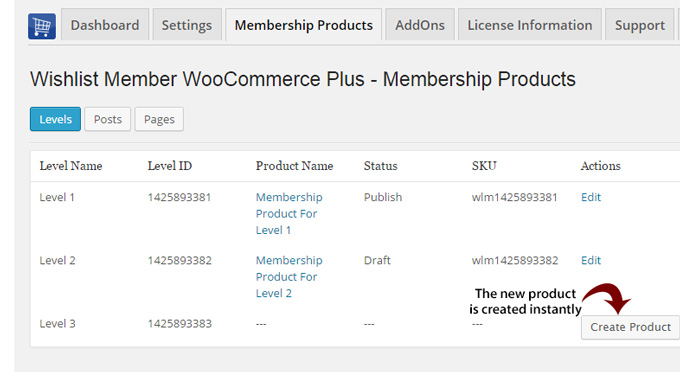
Wishlist Member WooCommerce Plus integrates WooCommerce and Wishlist Member and allows you to sell membership levels and / or pay-per-posts as WooCommerce products.
[button url="https://happyplugins.com/downloads/wishlist-member-woocommerce-plus/" background="#FB8904" color="#ffffff" size="4" center="yes" radius="square" text_shadow="0px 0px 0px #ffffff"]Go to Wishlist Member WooCommerce Plus Product Page[/button]
The External Membership Sites Add-On
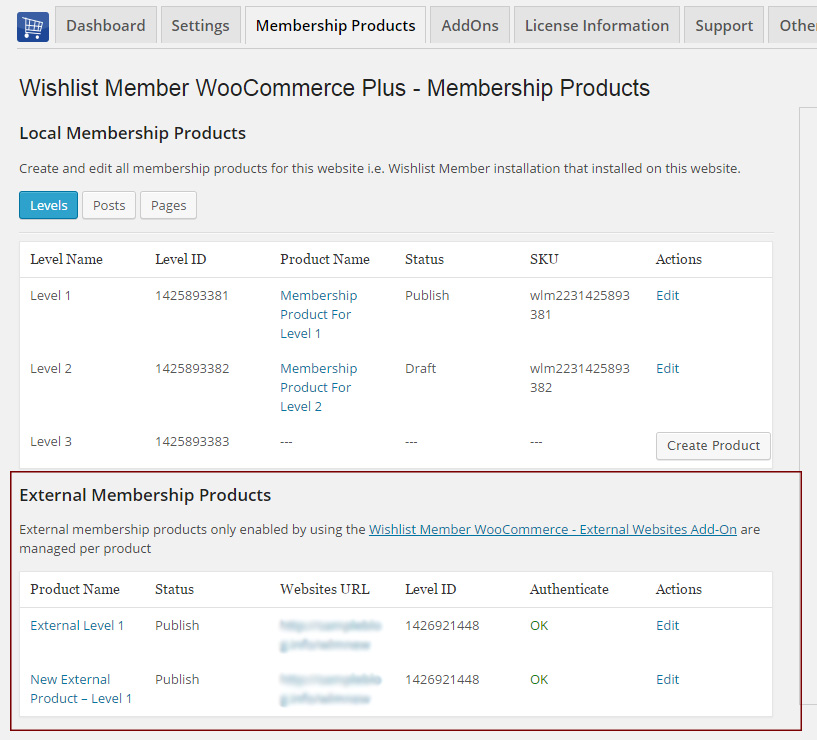
The External Membership Sites Add-On allows you to sell membership levels that are located on external websites, meaning: websites that are located on a different domain than your WooCommerce store.
[button url="https://happyplugins.com/downloads/wishlist-member-woocommerce-plus-external-membership-sites-addons-bundle/" background="#FB8904" color="#ffffff" size="4" center="yes" radius="square" text_shadow="0px 0px 0px #ffffff"]Go to the External Membership Sites Add-Ons Bundle Product Page[/button]
The Member Registration Add-On
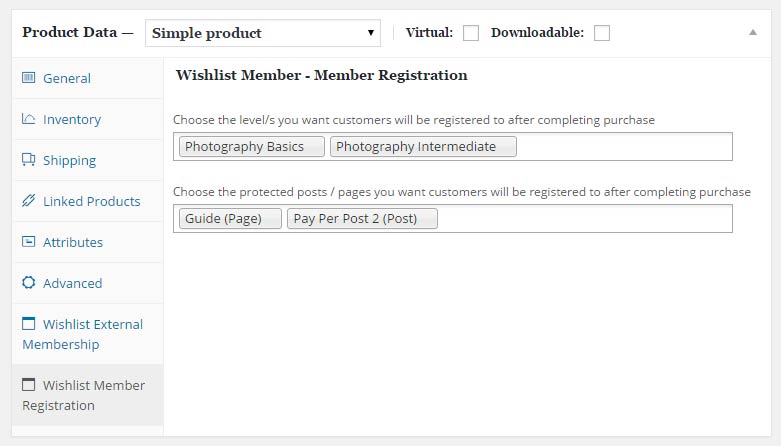
The Member Registration Add-On allows you to register customers to any membership level / pay-per-post after completing a WooCommerce product purchase.
[button url="https://happyplugins.com/downloads/wishlist-member-woocommerce-plus-member-registration-addon/" background="#FB8904" color="#ffffff" size="4" center="yes" radius="square" text_shadow="0px 0px 0px #ffffff"]Go to the Member Registration Add-On Product Page[/button]
The Custom Post Type Add-On
The Custom Post Type Add-On allows you to sell custom post types individually using Wishlist Member & WooCommerce platform.
[button url="https://happyplugins.com/downloads/wishlist-member-woocommerce-plus-custom-post-type-addon/" background="#FB8904" color="#ffffff" size="4" center="yes" radius="square" text_shadow="0px 0px 0px #ffffff"]Go to the Custom Post Type Add-On Product Page[/button]
[divider top="no" divider_color="#ffffff"]
[note note_color="#ffeee6"]
30% Discount for the Ultimate Wishlist Member WooCommerce Bundle!
The Ultimate Wishlist Member WooCommerce Bundle includes:
- Wishlist Member WooCommerce Members Discounts Plugin
- Wishlist Member WooCommerce Plus Plugin
- Wishlist Member WooCommerce Plus – External Membership Sites Add-Ons Bundle
- Wishlist Member WooCommerce Plus - Variable Products Add-On
- Wishlist Member WooCommerce Plus – Member Registration Add-On
- Wishlist Member WooCommerce Plus – Custom Post Type Add-On
* The highlighted products are not included in the Wishlist Member WooCommerce Plus Bundle
[/note]
Screenshots
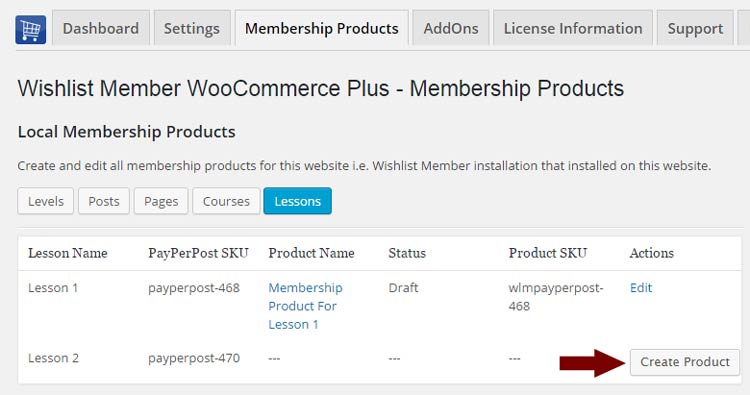
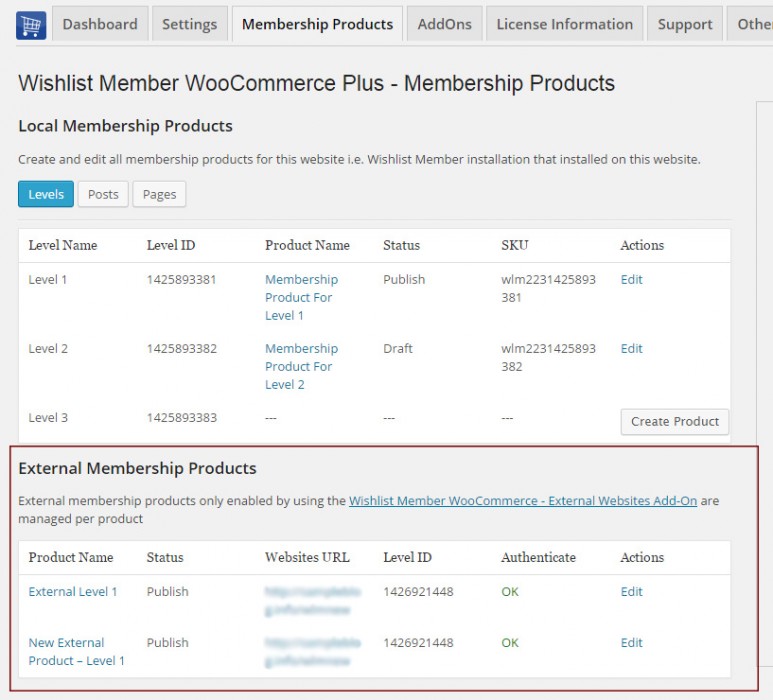
- Wishlist Member WooCommerce Plus Settings
- External Membership Sites Add-Ons Bundle Settings
- Member Registration Add-On Settings
- Custom Post Type Add-On Settings
Videos
How to Sell One or Multiple Membership Levels
How to Sell One or More Pay-per-posts
How to Sell Multiple Levels and / or Pay-per-posts
How to Move from WooThemes Plugin to Wishlist Member WooCommerce Plus
Video Tutorials
Requirements
| Requirement | Minimum |
|---|---|
| WordPress | 5.2 and higher |
| Wishlist Member | 2.8 / 2.9 / 3.0 and higher |
| WooCommerce | 3.9 and higher |
Faqs
General
Wishlist Member WooCommerce Plus is used to sell membership products using Wishlist Member, so you can sell membership levels and / or pay-per-posts as WooCommerce products. All other aspects of payment and subscriptions are managed by WooCommerce plugin and extensions. Our product does not interfere with any of these aspects and it is working behind the scenes after a successful payment has been made. Because WooCommerce is working with hundreds of payment gateways and each payment gateway is programmed by different developers, many of the developers does not completely comply with WooCommerce coding guidelines. Because of that, cancellations are very difficult to support and can only be done to specific payment gateways that program their extensions correctly. Because Wishlist Member WooCommerce Plus was designed to work with all payment gateways, it is impossible to develop a cancellation feature that will work on all payment gateways. An example for that is WooCommerce Subscriptions extensions that is only supported by specific payment gateways and, as you can check their website, not all payments are fully supported with all the features.
As written in the previous question regarding cancellations, all payment subscriptions and trial periods are handled by WooCommerce Subscriptions extension and because of that, if the subscription extension supports trial periods you can do it.
Moving from the WooThemes plugin to Wishlist Member WooCommerce Plus" plugin can be done very easily and smoothly, just follow these steps: Step #1: Install the "Wishlist Member WooCommerce Plus" plugin on your website Step #2: Copy the SKU Prefix from the WooThemes plugin by going to WooCommerce menu > Settings > Wishlist Member tab Step #3: Paste the SKU Prefix to "Wishlist Member WooCommerce Plus" plugin by going to WL Extension menu > Wishlist Member WooCommerce Plus > Settings Step #4: Deactivate the "WooCommerce Wishlist Member Integration" Plugin by WooThemes Once you have changed the SKU Prefix and deactivated the WooThemes plugin the integration will continue to work just as it did before you activated Wishlist Member WooCommerce Plus plugin. You can check that everything is indeed working by checking your membership products in the Membership Products Summary Table and see that all the membership products have been identified correctly by Wishlist Member WooCommerce Plus.
You will need to use WooCommerce version 2.3
No, the add-ons are an addition to the main plugin, you must also purchase Wishlist Member WooCommerce Plus for the add-ons to work. That is why we offer this bundle that includes Wishlist Member WooCommerce Plus and all the add-ons and give you a special 20% off.
Yes, because you have 2 different WordPress installations you will need to use the add-on. Examples of different domains are: 1. http://domain1.com & http://domain2.com (different domains) 2. http://domain1.com/woo & http://domain2.com/wlm (different directories) 3. http://woo.domain1.com & http://wlm.domain2.com (different sub-domains)
Yes, if you need to integrate multiple membership sites and you need more licenses (each membership site requires a license), you can purchase them separately in this link >> Purchase Remote Access Add-On
Actually, it is very simple and easy to install and activate all 3 and make them work seamlessly. The process is very quick and requires only 4 simple steps. You can find all the information in the detailed manual of the plugin and the add-ons you get when completing the purchase.
As far as we know, the plugin does not conflict with any other plugin. Wishlist Member WooCommerce Plus keeps a very strict code method so the chances that it’s causing any problem are very low. If you have any problems or conflicts, please contact the support department.
No, Wishlist Member WooCommerce Plus is a Wishlist Member dedicated plugin.
If you haven't found your answers in the product's page and in the manual, please contact our support team and we will get back to you shortly