
Description
Wishlist Member WooCommerce Plus – Custom Post Type Add-On integrates Wishlist Member with any custom post type and allows you to sell custom post types individually using the WooCommerce platform.
To use the add-on you also need to purchase Wishlist Member WooCommerce Plus plugin, OR you can get the complete bundle – Plugin + Add-Ons at 20% off!
The Benefits of Integrating Wishlist Member, Custom Post Types & WooCommerce
- Sell multiple types of products in one purchase – Your customers will be able to buy any combination of levels, pay-per-post, custom post types content and even physical products in one purchase in any combination they want.
- Enjoy all the benefits of an eCommerce store – Your Wishlist Member levels, posts and custom post types are just like any WooCommerce product and you can enjoy all the benefits of selling through an online store
Integrating the Custom Post Type Add-On in 4 Simple Steps
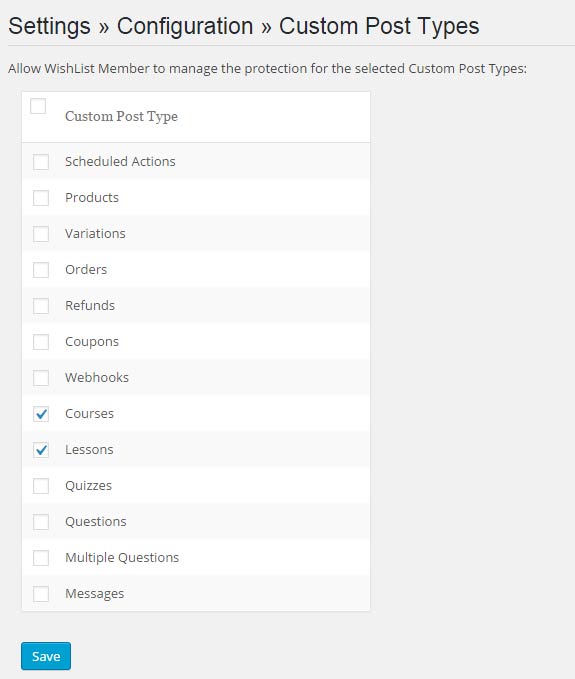
Step #1: Enable your chosen custom post types within Wishlist Member setting
Step #2: Define Wishlist Member settings inside the relevant custom post type

Step #3: Create your membership product using Wishlist Member WooCommerce Plus
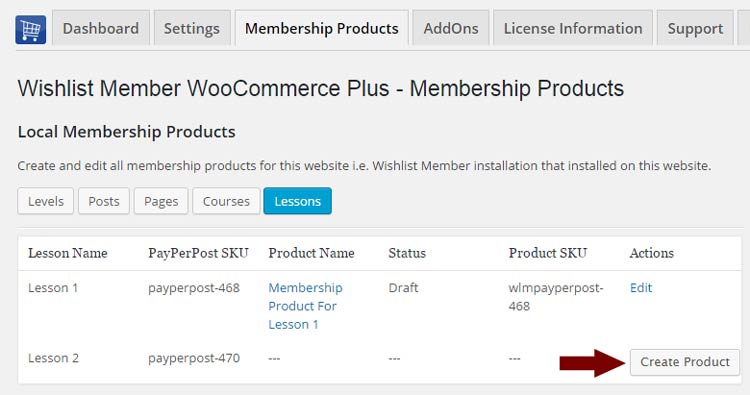
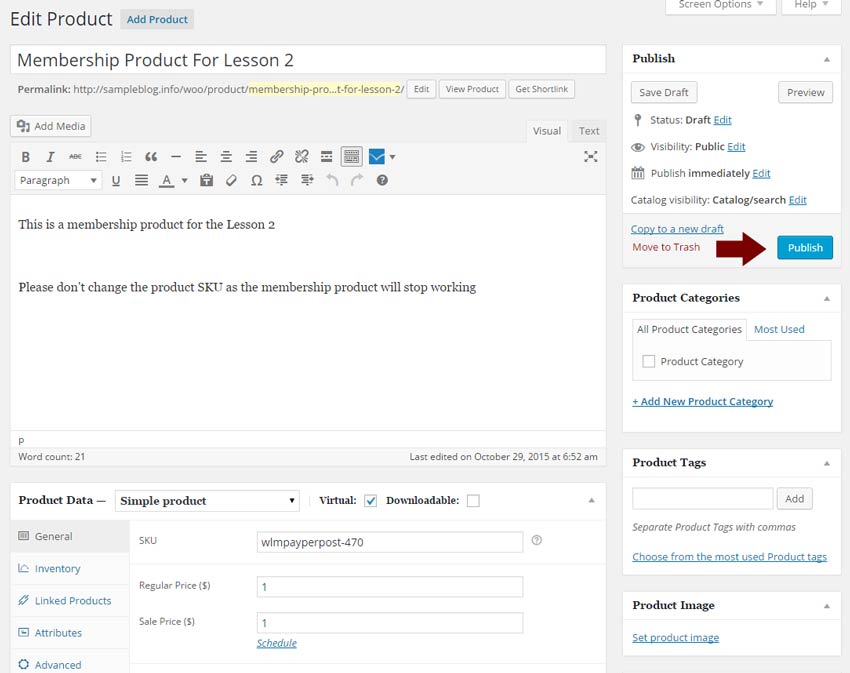
Step #4: Click Edit, define the Product Data settings and content & publish it
Notice that the correct Wishlist Member SKU was automatically inserted inside the WooCommerce settings, which means that the integration is complete and is working!
Special Discount for Purchasing One of the Bundles:
Wishlist Member WooCommerce Plus Bundle (20% Discount) that includes:
- Wishlist Member WooCommerce Plus Plugin
- The External Membership Sites Add-Ons Bundle
- The Member Registration Add-On
- The Custom Post Type Add-On
The Ultimate Wishlist Member WooCommerce Bundle (30% Discount) that includes:
- Wishlist Member WooCommerce Members Discounts Plugin
- Wishlist Member WooCommerce Plus Plugin
- Wishlist Member WooCommerce Plus – External Membership Sites Add-Ons Bundle
- Wishlist Member WooCommerce Plus – Variable Products Add-On
- Wishlist Member WooCommerce Plus – Member Registration Add-On
- Wishlist Member WooCommerce Plus – Custom Post Type Add-On
FAQs
Can I use only the Custom Post Type Add-On without the plugin Wishlist Member WooCommerce Plus?
No, the Custom Post Type Add-On is an addition to the main plugin, you must also purchase Wishlist Member WooCommerce Plus for the add-ons to work.
Does the plugin have any conflicts with other plugins?
As far as we know, the plugin does not conflict with any other plugin. Wishlist Member WooCommerce Plus, including the Custom Post Type Add-On, keep a very strict code method so the chances that it’s causing any problem are very low. If you have any problems or conflicts, please contact the support department.
Does the plugin integrate with every membership site platform?
No, Wishlist Member WooCommerce Plus and all its add-ons are Wishlist Member dedicated plugins.
I have more questions and I haven’t found my answers, how can I contact you?
If you haven’t found your answers in the product’s page and in the manual, please contact our support team and we will get back to you shortly
Requirements
- WordPress 5.2 and higher
- Wishlist Member 2.8 / 2.9 / 3.0 and higher
- WooCommerce 3.9 and higher
Other Add-Ons
We have enhanced Wishlist Member WooCommerce Plus with powerful features.
These features are sold separately as add-ons and they require Wishlist Member WooCommerce Plus.
These are the Available Add-Ons:
* Click on the add-on’s name for more information
Member Registration Add-On
Allows you to register customers to any membership level / pay-per-post after completing a WooCommerce product purchase.
All you need to do to register members automatically to any Wishlist Member membership level and / or pay-per-post is follow 2 simple steps:
- Go to the Products menu and click to edit the relevant product
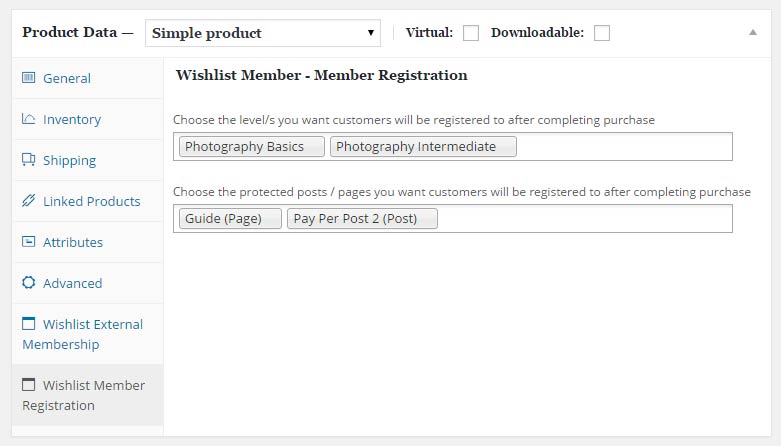
- Go to the Product Data Meta box > under the Wishlist Member Registration tab and choose the membership level/s and / or pay-per-posts as seen in the below screenshot:
External Membership Sites Add-Ons Bundle
Allows you to sell memberships that are located on a separate domain (different WordPress installation) than your WooCommerce website.
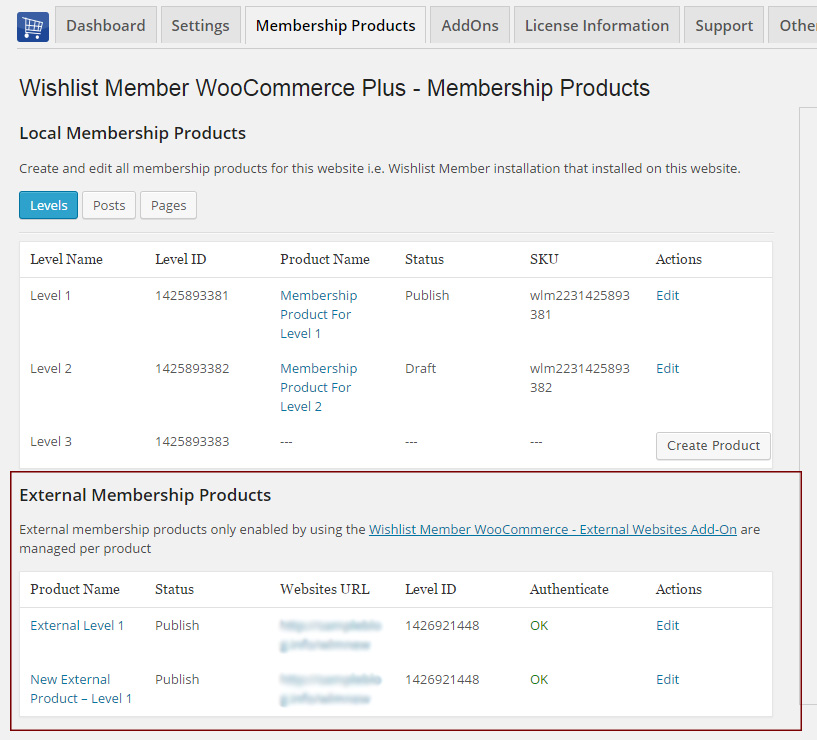
The External Membership Products table will be displayed only after you install and activate the add-on as seen in the below screenshot:
Variable Products Add-On
The Variable Products Add-On allows you to sell different membership levels to different variations within a WooCommerce variable product.
This means that you can sell different membership levels to every product variation you setup within a specific WooCommerce product.
Step #1: Setup WooCommerce Variable Product – Enter the relevant WooCommerce product settings » Go to the Product Data Meta Box » Choose Variable Product and add your product variations.
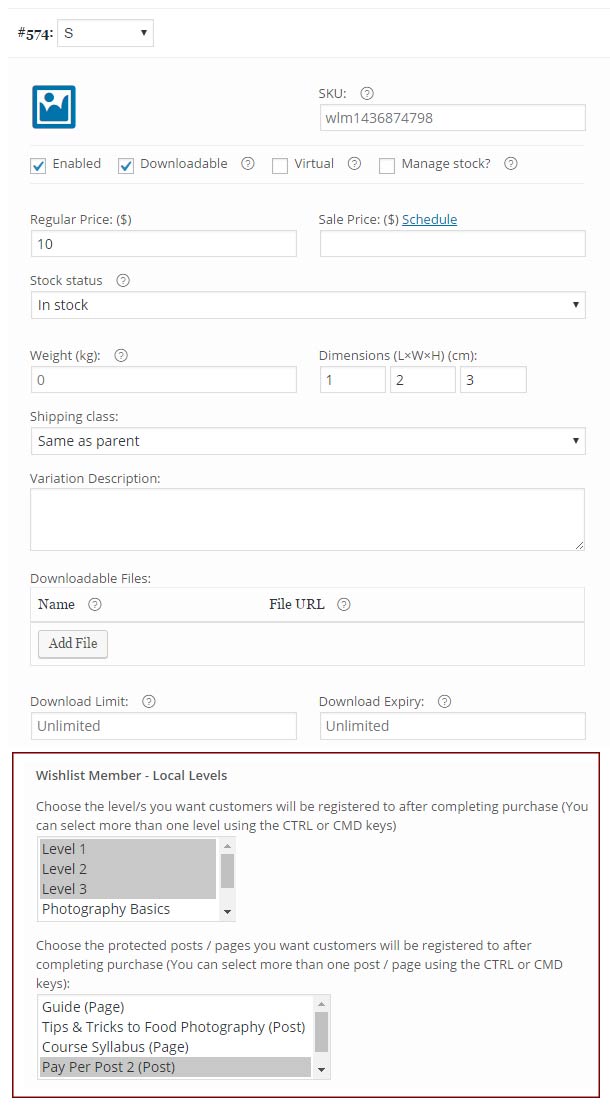
Step #2: Integrate the Membership Level/s and / or Pay-per-post Content – After adding the product variations click on each variation to edit its settings and integrate the relevant membership level/s and / or pay-per-post content as seen in the below screenshot: