
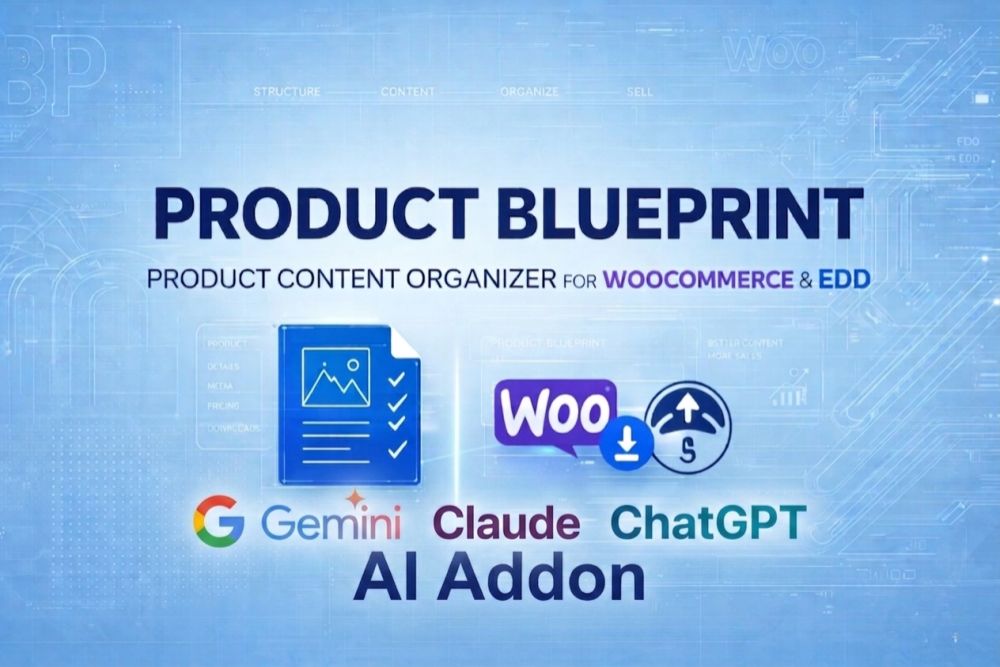
Product Blueprint – Product Content Organizer for WooCommerce & EDD – AI AddOn
Description
Cut product-page setup time from hours to minutes
Let AI write, rewrite, and describe while you focus on what matters.
The problem
You've built a great product. Now you need to describe it, write the FAQ, caption every screenshot, maintain the changelog, and keep it all readable enough that people actually read it instead of bouncing.
For one product, that's an afternoon. For five products, a weekend. For twenty products, you never finish — you just ship incomplete content and tell yourself you'll polish it later.
You won't.
What the AI Add-on does
Adds a small  button to every content section in your Product Blueprint editor. One click, 10 seconds, and you have a draft to polish instead of a blank page to stare at.
- Content Generation — writes a full product section from your title, excerpt, and categories. Specify a focus ("emphasize the free trial", "write for technical users") or let it infer from context.
- Rephrase — rewrites existing copy in five tones: Clear, Friendly, Professional, Concise (-30%), Expanded (+30%). Keeps meaning and HTML structure intact.
- Improve Readability — simplifies dense sentences to grade-8 reading level while preserving lists, headings, and meaning. The content quality meter flags content over grade 12 and suggests this button directly.
- FAQ Generator — produces 4–20 questions grouped into topics (Installation, Pricing, Compatibility, Troubleshooting, etc.). Output is valid JSON that runs through the same import pipeline as manual paste. Quality is 90% usable — review before publishing.
- Alt Text AI (vision) — describes every screenshot in 8–20 words using the provider's vision model. Per-image for one-offs or "Generate missing alts" for the whole gallery in one pass. Dramatically improves SEO image-search and accessibility compliance.
Bring your own AI key — use what you already have
Supports all three major providers:
- OpenAI (GPT) — default, cheapest capable, supports vision
- Anthropic Claude — higher writing quality, also supports vision
- Google Gemini — cheapest overall, free tier available
Add one key or all three. The routing system picks the best model per task automatically — cheapest recommended model across your configured providers. Want more control? Lock specific tasks to specific providers manually.
Typical cost per generation: fractions of a cent. A full product setup (content + FAQ + 10 alt tags) runs about $0.02 with the default gpt-4o-mini. One hundred complete product setups for $2.
The plugin shows the resolved model and estimated cost before every generation, so there are no surprises.
What makes this different from other AI plugins
Not another "generate a blog post from a title" widget. This integrates directly with Product Blueprint's structured sections — FAQ becomes FAQ JSON, alt text goes into gallery rows, changelog generates in readme.txt format, and so on. Every output ends up in a place your theme already knows how to render.
Three-layer cost control:
- Modules — turn features off entirely if you never want to spend tokens on them
- Routing — per-task provider + model selection (or auto)
- Per-provider spending caps on your API accounts
No vendor lock-in. Your API keys are yours. Your content is yours. Your provider account is yours. If you cancel the AI Add-on subscription, everything you generated stays — you just can't generate new stuff without renewing.
Graceful expiry. Subscription lapses? A 3-day grace window keeps AI working while you renew. After grace, features lock but your API keys, routing config, and module settings stay in the database — renew and everything resumes instantly.
Privacy-conscious. Your keys live in your database. Your prompts go directly from your server to the provider you chose. No plugin vendor intermediary, no data forwarding, no aggregate prompt logs on our side.
Built on top of — not replacing — the free AI-optimization features
The main Product Blueprint plugin already includes powerful AI-optimization features that require no tokens and no AI subscription:
- Structured data — SoftwareApplication, HowTo, AggregateRating, BreadcrumbList, speakable schemas
- Content quality meter — SEO + AIO scores, readability grade, keyword coverage, internal-link suggestions
- /llms.txt publisher — site-root and per-product markdown index for AI crawlers
- FAQ search + thumbs on the frontend
- Plugin conflict detection — auto-skips overlapping schema when Yoast/RankMath/review plugins are active
The AI Add-on extends these with the live AI calls — the features that cost tokens and therefore need a license.
Pricing & licensing
Annual subscription — pay once per year, get all updates, support, and new features.
Two SKUs available:
- Single site — one WordPress installation
- Multi-site — up to N sites (exact count per plan)
Both include unlimited generations (you bring your own API keys) and one year of updates + support.
Cancel anytime; cancellation stops auto-renewal but your license stays valid for the rest of the paid period.
Who this is for
- Plugin / theme shops with 3–20 products who want fast setup + consistent quality
- Digital product creators who find writing copy the hardest part
- Teams scaling content across many products and needing AI as a force multiplier
- SEO-focused sellers who care about alt text, schema, and readability
Not for: one-product shops (overkill), users who prefer writing by hand (no problem), or anyone unwilling to pay providers for API usage (the plugin won't generate content without a provider).
Buy AI Add-on
Instant download. License key emailed within 60 seconds. 30-day refund window.
Already a main-plugin customer? Log in to your account — your billing and existing license are pre-populated at checkout.
Requirements
| Requirement | Minimum |
|---|---|
| Product Blueprint main plugin | installed and licensed on your site (buy it here if you don't have it) |
| WordPress 5.8+ | |
| PHP 7.4+ | |
| PHP extensions | cURL, OpenSSL, JSON, mbstring |
| API key from at least one of | OpenAI, Anthropic, Google |
| Either Easy Digital Downloads or WooCommerce |
Faqs
Licensing & Pricing
Yes. You need the main Product Blueprint license to use the plugin at all. The AI Add-on is a separate annual license that unlocks the AI features on top.
Not currently. Annual subscriptions only, because AI models and integrations evolve quickly — a lifetime license model doesn't fit features that require ongoing updates.
Yes. The AI Add-on license pays for the plugin software. You separately use your own API key from OpenAI, Claude, or Gemini — those providers bill you directly for tokens consumed. Typical usage is cents per month.
AI features keep working for a 3-day grace period. Then they lock. Your saved keys, routing config, and module settings stay in the database — renewing re-enables everything instantly, no re-setup.
Yes. Deactivate on the old site (Settings → License → AI Add-on → Deactivate), then activate the same key on the new site. Most plans allow 1–3 simultaneous activations.
Refunds are handled at the store level. Check the store's purchase page for the current policy.
Setup & Configuration
GPT-4o-mini from OpenAI is the best default — cheapest capable model that also supports vision for alt text. Claude Haiku has slightly better writing quality but costs about 7x more. Gemini 2.0 Flash is the absolute cheapest with a free tier.
Yes. Configure keys for any or all three. The routing system picks the best model per task automatically (Auto — balanced) or you can lock specific tasks to specific providers (Manual).
Only if you want to. The Modules tab defaults every module to Auto — balanced, which routes to the cheapest recommended model across your providers. Saving once with defaults is usually enough.
Not currently. The plugin targets the three major managed providers. A custom adapter would require editing class-ai-client.php.
In the WordPress pb_ai_keys option. Not encrypted at rest — WordPress options are plain text by default. Protect your database dumps and use strong DB credentials.
Yes — that's how AI works. When you click the AI button, the plugin sends product title, excerpt, categories, existing content, and your prompt to the configured provider. Review the provider's privacy policy for data retention.
Features & Usage
The cheapest model with a recommended flag in the plugin's curated table, across all your configured providers. Recommended models are the ones with the best price-to-quality ratio (gpt-4o-mini, claude-haiku-4-5, gemini-2.0-flash).
Cheapest picks the absolute lowest-cost suitable model, ignoring the recommended flag. Use this for bulk operations where quality matters less.
Yes. Every AI dialog shows a route info bar: "Using: openai · gpt-4o-mini · ~$0.0007/call". It updates when you switch tabs.
Rough guides, typically within ±30%. Actual cost depends on how long your context is and how verbose the AI is. The estimate uses typical token counts per task type against the model's published pricing.
Indirectly. For Rephrase and Improve modes, the dialog pre-fills the section's content into an editable textarea. You can delete everything except the part you want rewritten, then click Generate.
Generate and Rephrase produce light HTML — paragraphs, headings, lists, basic formatting. Improve preserves whatever HTML is in the source. Alt text is always plain single-line.
Just click the AI button again and regenerate. The product isn't saved to the database until you click the main Update or Publish button. Accept-and-retry is safe.
Not within the dialog — once you click Accept, the section's content is replaced. Use WordPress's post revisions (below the editor) to roll back if you saved the post.
Alt Text
The Generate Missing Alts button only processes images with empty alt text. Images that already have alt (even from the WordPress media library fallback) are skipped.
Because the product context is thin. If the product has no title, excerpt, categories, or existing content, the AI has nothing to anchor on. Fill in basic product info first.
No. Vision models describe still images. Video sections have their own description fields (manual).
The AI reads the first frame only. For animated content, manually describe the action.
Performance & Cost
Dialogs run in AJAX without blocking the page. The dialog shows Working... during the 5–30 second response. Other admin functions remain responsive.
The plugin doesn't track spend — your provider's dashboard does. Set hard spending limits at your provider (OpenAI has monthly caps in account settings; Anthropic has usage limits). The Modules tab lets you disable expensive features entirely (e.g., turn off bulk alt text).
Generate missing alts on a 500-image gallery with Claude Haiku costs about $2.50. With GPT-4o-mini about $0.35. Not catastrophic, but worth noting. The plugin shows an estimated time before starting and you can cancel.
At the provider level, yes. OpenAI: monthly spend cap in billing settings. Anthropic: soft usage limits. Gemini: quotas on the free tier. The plugin doesn't impose its own cap — your provider account is the source of truth.
Privacy & Security
No, unless they have database access. Keys are stored in a WP option, not exposed in any frontend or REST endpoint. Admin users can see masked keys (sk-••••abc) but not the full value.
Not by the plugin. The AI provider may log prompts per their own retention policies — check theirs.
Yes. Turn off all modules in the Modules tab. License stays valid but no AI calls happen. Your config persists.
License lapses, features lock after 3-day grace, config preserved. If you renew later, everything works again instantly. If you delete the plugin entirely, the uninstall routine optionally cleans up AI data based on your Settings → Uninstall preference.
Compatibility
Yes. The plugin auto-detects which is active and adapts. Products in both stores can use AI features identically.
No direct conflicts. Different plugins use different providers/models and different trigger points. You can run all of them side-by-side.
For the blueprint sections, yes. The AI buttons live in the Product Blueprint meta boxes. Content generated goes into the blueprint's WYSIWYG fields. Page builders that edit other parts of the product (not the blueprint) aren't affected.
Yes. The plugin respects the current language context. To generate content in a specific language, include a prompt like 'Write in French' in the Generate tab's prompt field.
Troubleshooting
Fill in more product context. The plugin sends title, excerpt, categories, and existing content to the AI. If any of those are blank, the AI fills gaps with plausible-sounding guesses. Populate the product editor's basic fields first.
Your account probably has a hard spending cap or per-request limit. Check your provider's dashboard. Also try regenerating the key.
Three things need to be true: AI Add-on license is active, at least one module is enabled in the Modules tab, and at least one API key is saved. Check all three in Settings → AI Providers and Settings → Modules.
Slow provider response is normal (up to 60s for complex generations). If it's been over 90 seconds, check your server's PHP max_execution_time — hosts that kill PHP at 30s will cut off long AI calls mid-request.