
Product Blueprint – Product Content Organizer for WooCommerce & EDD
Description
Stop Losing Sales to Messy Product Pages!
Your customers land on your product page and see a wall of text. No structure. No organization. They scroll, get lost, and leave.
Product Blueprint fixes this by organizing your product content into clean, expandable accordion and tabs sections — from description to screenshots to FAQ to changelog. Create a reusable section template once, assign it to all your products, and fill in the content for each one.
Think of it like the tabbed product pages on Envato Market or the WordPress.org plugin directory, but fully customizable inside your WordPress admin.
11 Section Types
Every type has its own specialized editor and frontend renderer:
- Rich Text (WYSIWYG) — Full WordPress editor with formatting, images, and media
- FAQ — Expandable question-and-answer pairs with animated toggle
- Image Gallery — Responsive grid with overlay or slide-panel lightbox
- Video Grid — YouTube and Vimeo videos with lazy loading
- Changelog — Clean version history formatting
- Requirements — Two-column system requirements table
- Comparison Table — Side-by-side feature comparison
- Reviews / Testimonials — Star ratings, dates, and author names
- Pricing Table — Multi-tier cards with feature lists and CTA buttons
- File Downloads — Downloadable files with metadata
- Related Products — Cross-sell cards linking to other products
Complete Design Control
20+ design settings per blueprint: choose accordion or tabs independently for desktop and mobile, customize 10 colors (headers, panels, borders, accents, active tab), adjust typography and spacing, configure gallery lightbox style, add a table of contents, search bar, social sharing buttons, sticky sidebar, or custom CSS. Save your favorite look as a Global Preset and reuse it across blueprints.
Automatic SEO That Works
Product Blueprint generates Schema.org JSON-LD markup automatically — Product schema with price and availability, FAQPage schema eligible for Google’s rich snippets, VideoObject and ImageObject schema from your videos and galleries. No configuration needed.
Analytics & Content Management
Built-in tracking shows which sections visitors open most. View counts appear right in the product editor. The Content Status page gives every product an SEO score (0-100) based on content length, images, FAQ items, and section completeness — with filters to find and fix gaps fast.
Pro Tools for Stores at Scale
| Bulk Editor | Edit one section across all products using a blueprint — on a single page |
| Find & Replace | Search and replace text across products with regex support and dry run preview |
| Duplicate Detection | Flags sections with 70%+ similarity across products sharing a blueprint |
| Import / Export | Move blueprints between sites as JSON files with ZIP support |
| Version History | Up to 20 snapshots per blueprint with one-click restore and visual diff |
| Frontend Editor | Edit sections directly on the live page with a visual rich text editor |
| Webhooks | HTTP POST notifications when blueprints or products are saved |
| Weekly Digest | Email listing products with incomplete sections |
Integrations
- Easy Digital Downloads — Full support
- WooCommerce — Full support, including native WooCommerce tabs mode
- Gutenberg — Custom block
- Elementor — Custom widget
- WPML & Polylang — Translatable labels and titles
Also Included
- Purchase-gated sections (customers only / non-customers only)
- Deep link support — URL hash opens specific section
- Lazy-load media for faster page loads
- Section shortcode for embedding anywhere
- Sticky TOC sidebar with scroll-spy
- Category-based section ordering
- Reusable Content Blocks
- Copy content between products
- Changelog auto-import from readme.txt
- 65+ section icons
- WAI-ARIA accessible with keyboard navigation
- RTL support
- REST API
Screenshots
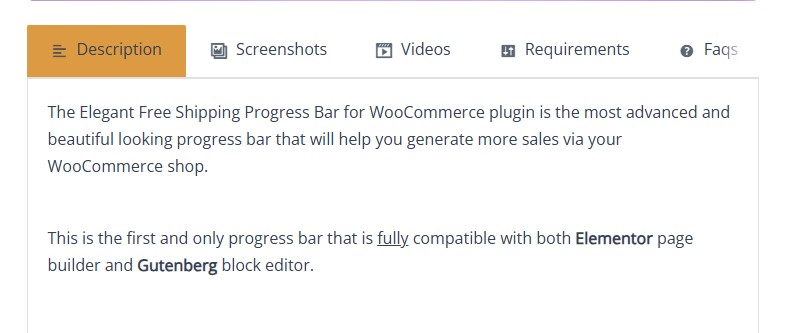 Product Blueprint frontend tabs view
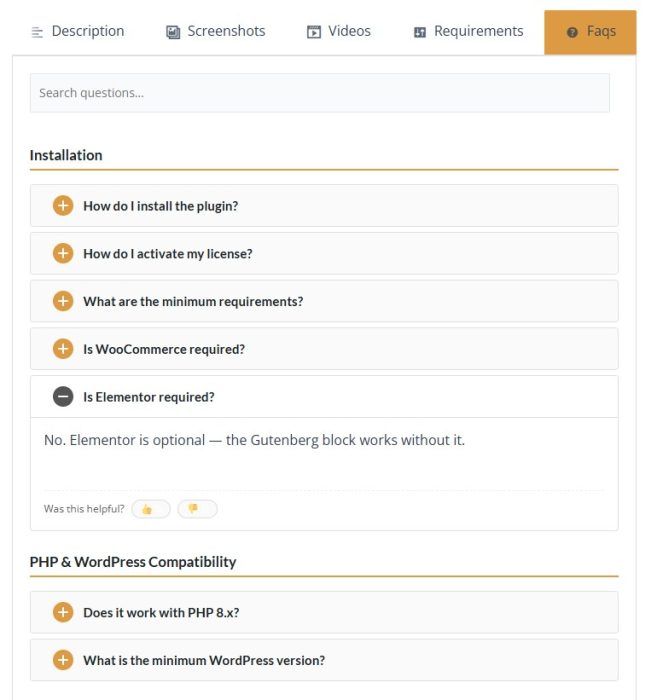
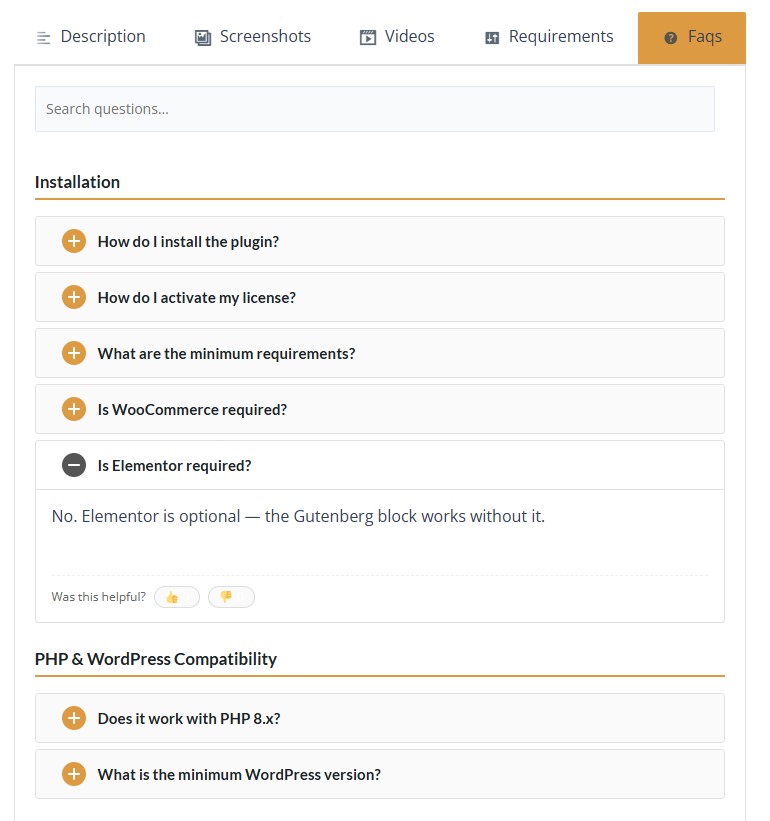 Product Blueprint frontend faqs tab view
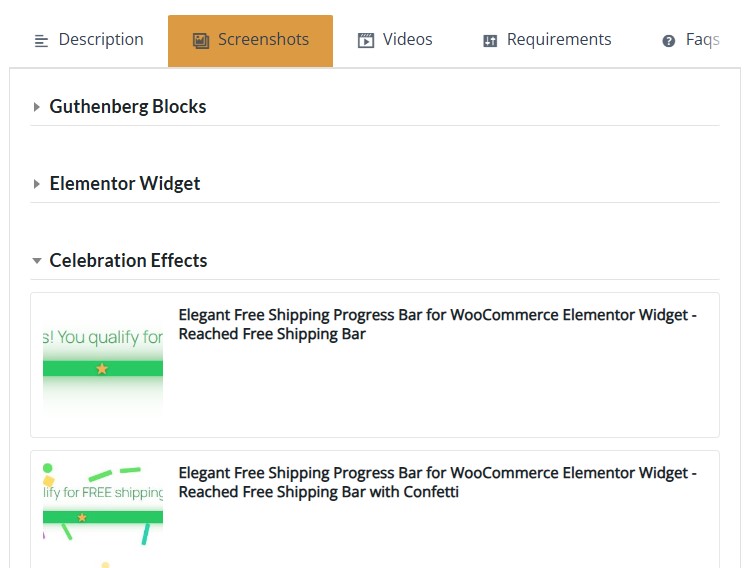 Product Blueprint frontend Screenshots tab view
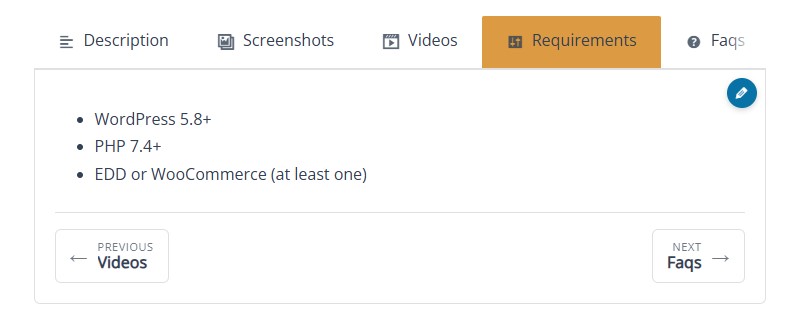 Eye catching Next and Previous buttons for better navigation
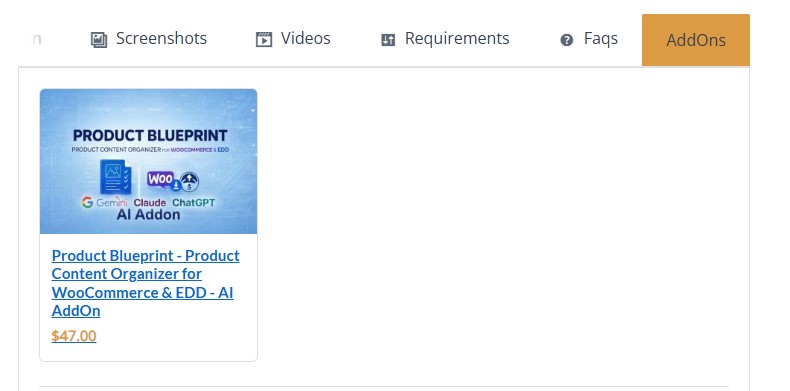 Related Products section that displays the related products automatically and adds them in the frontend in an organized way
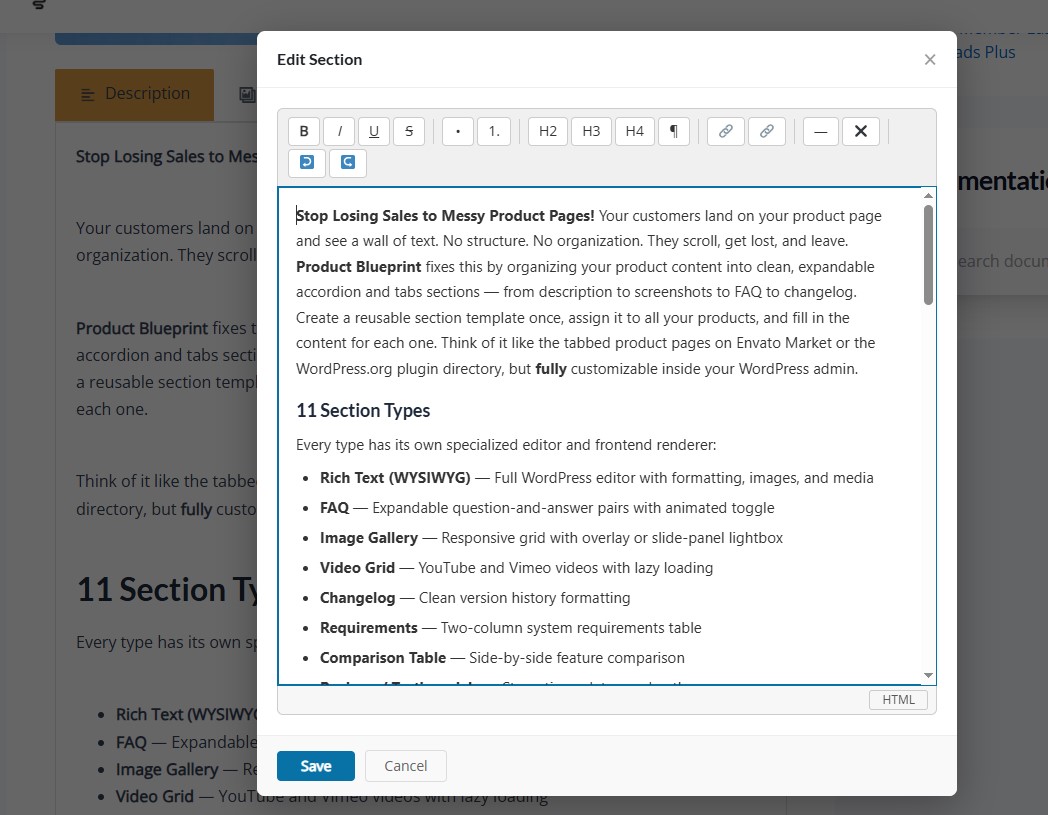 frontend editor for major time saving
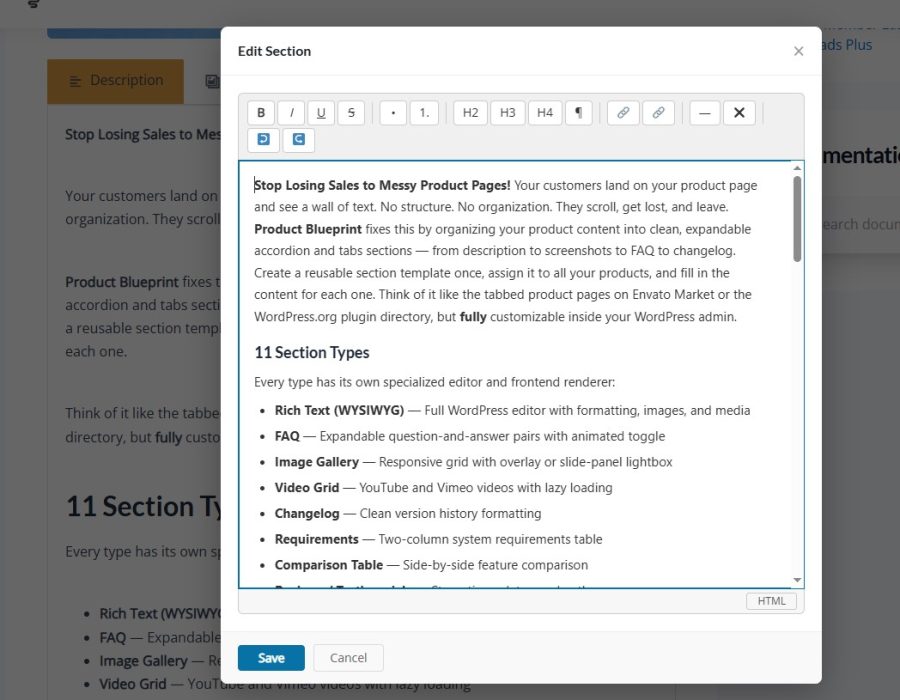
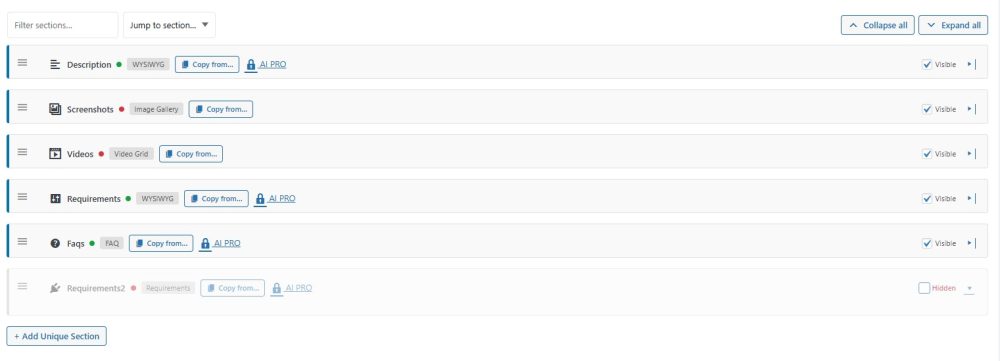
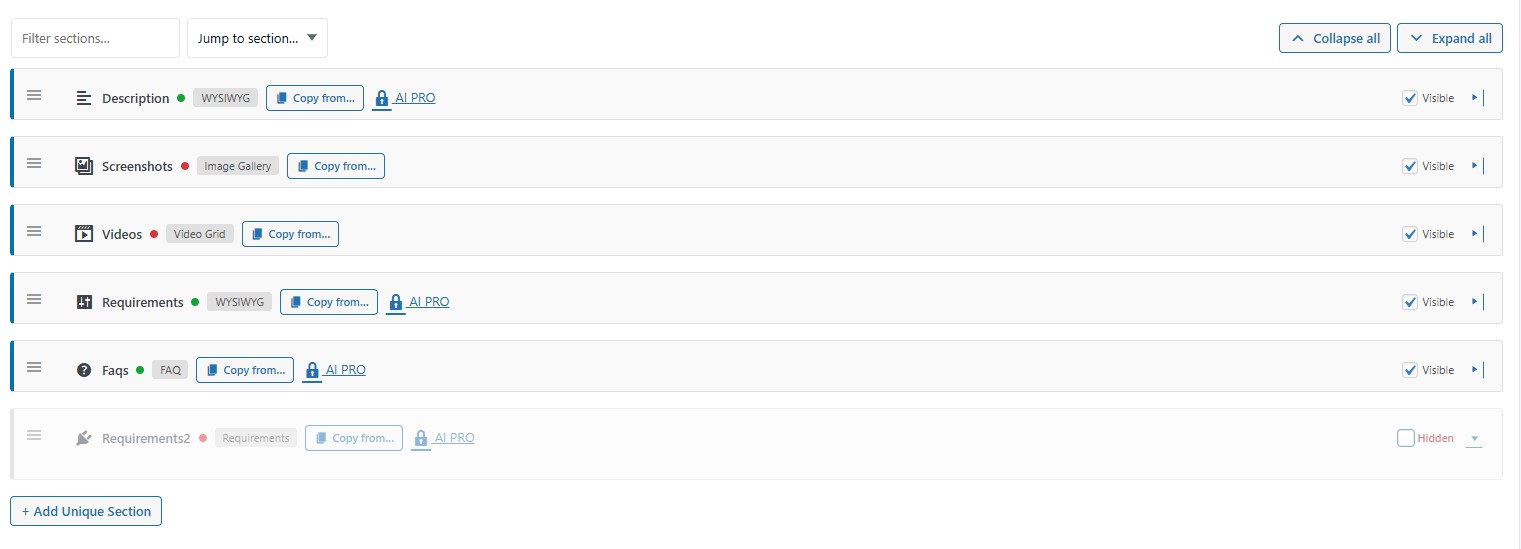 Product Bluprint Sections Exmaple inside a Product
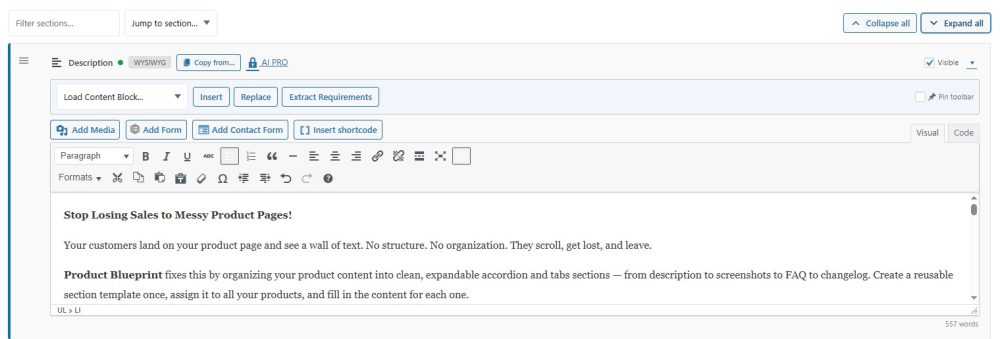
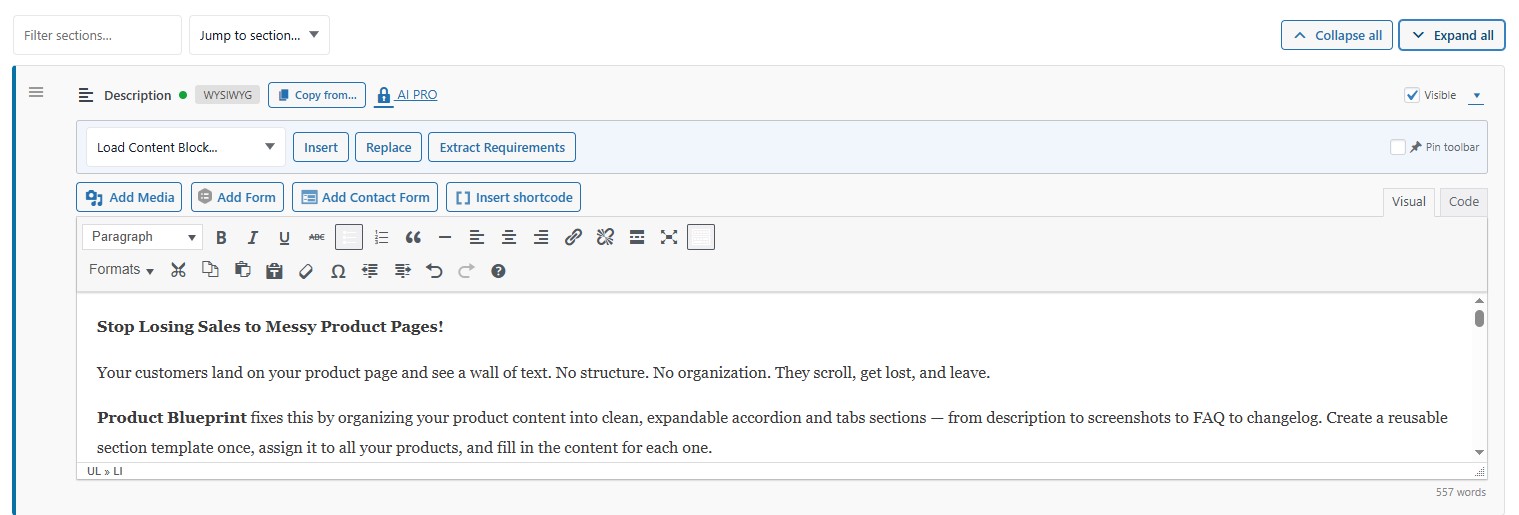 The description section
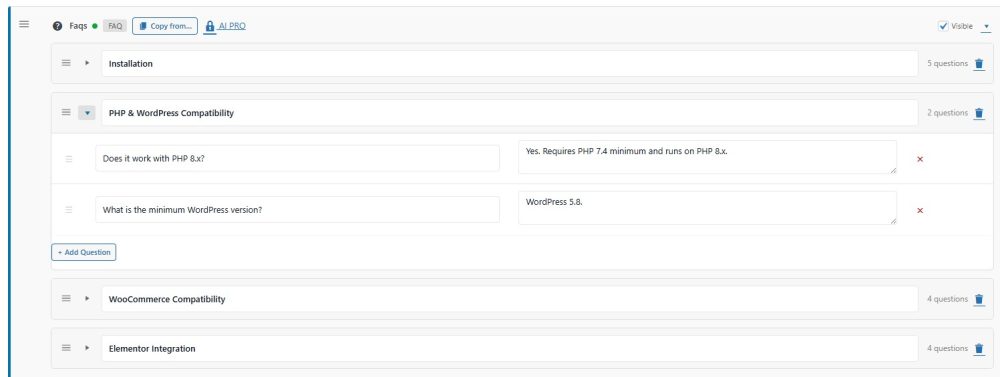
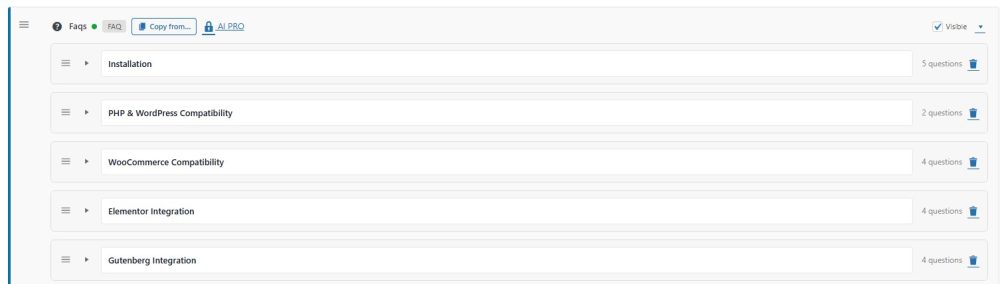
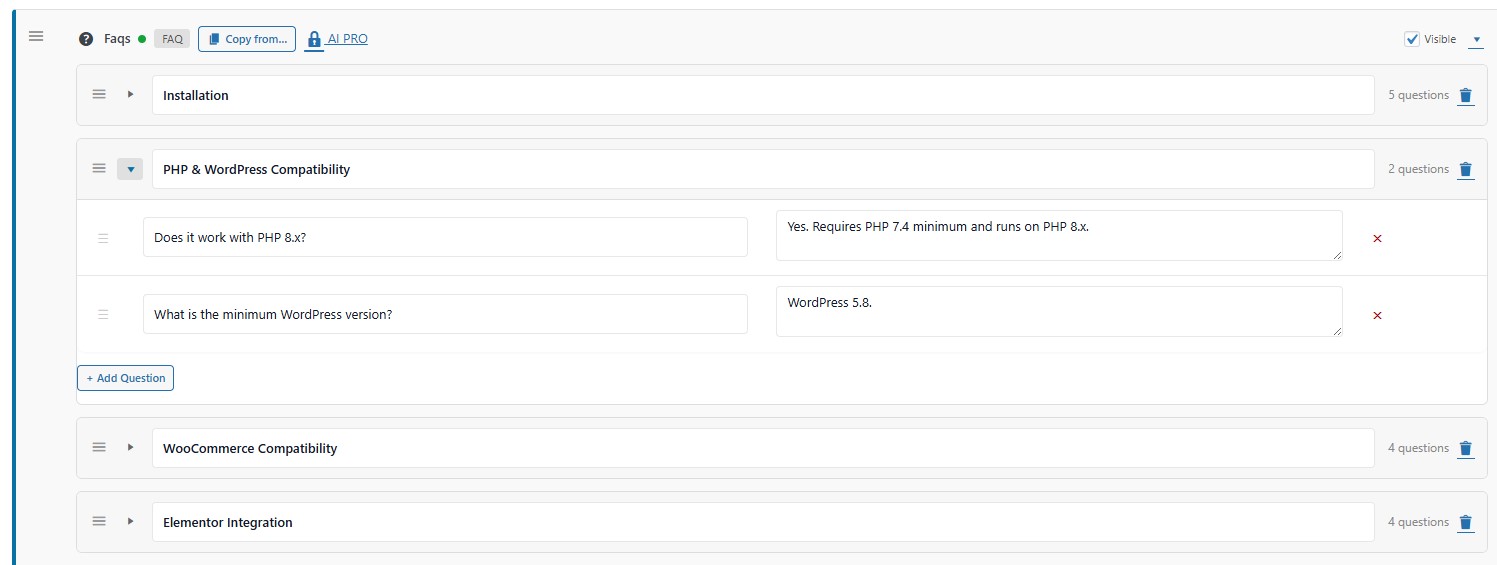 The faqs section divided to topics and inside the topic are the relevant questions
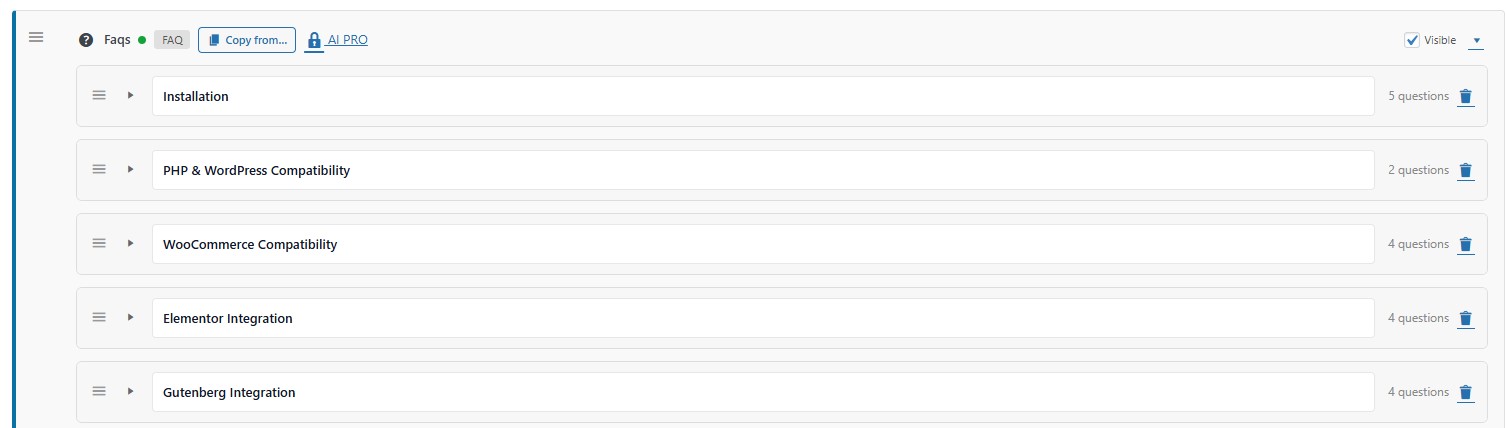 The faqs section divided to topics
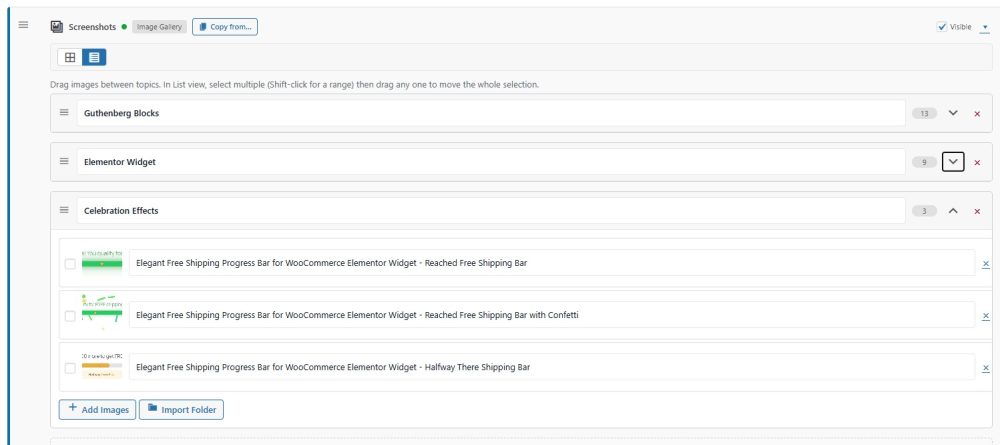
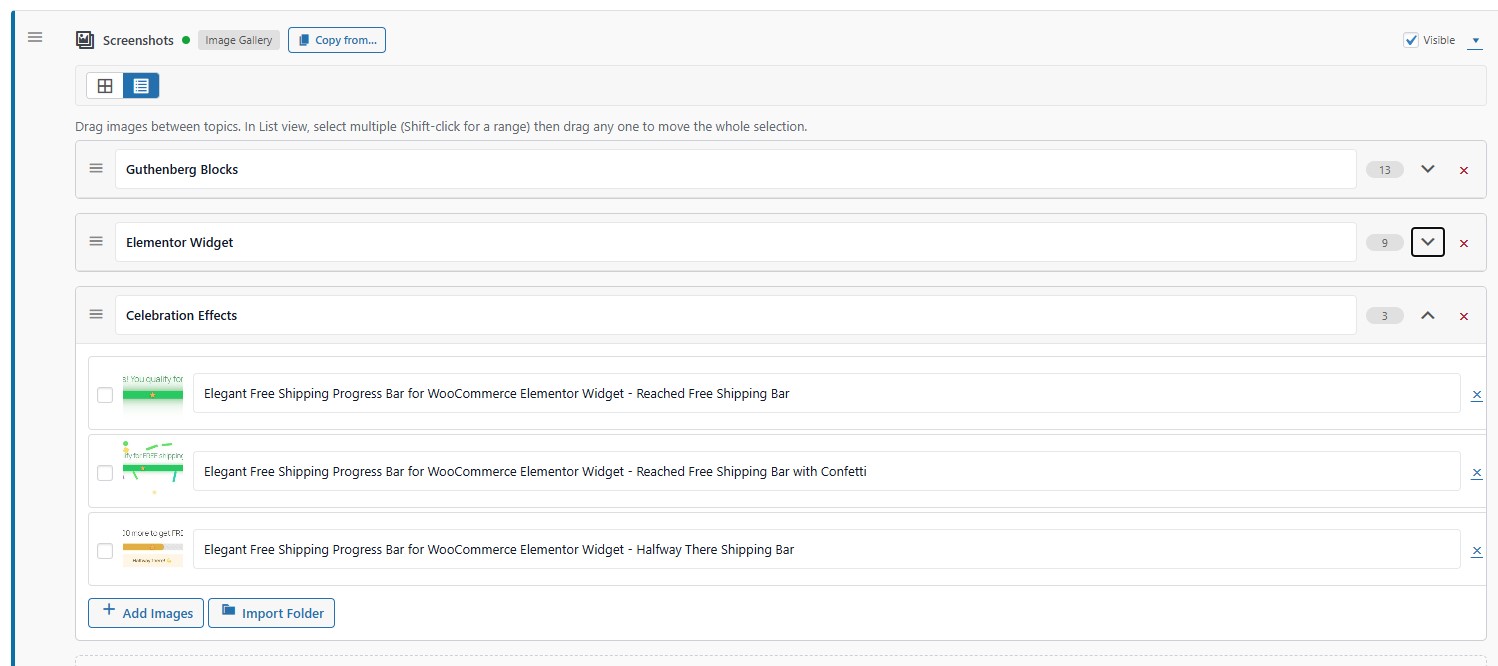 The images section and inside folders for better organized content
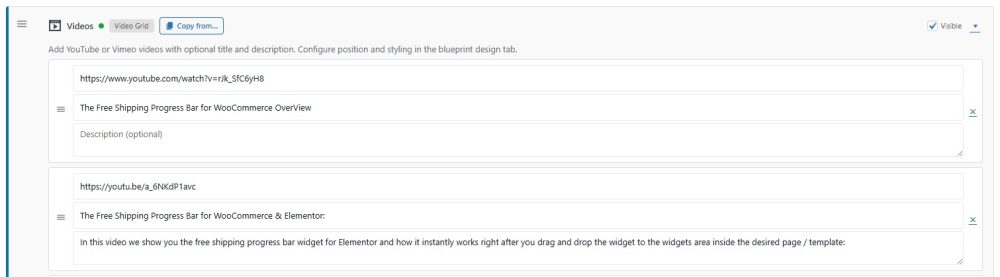
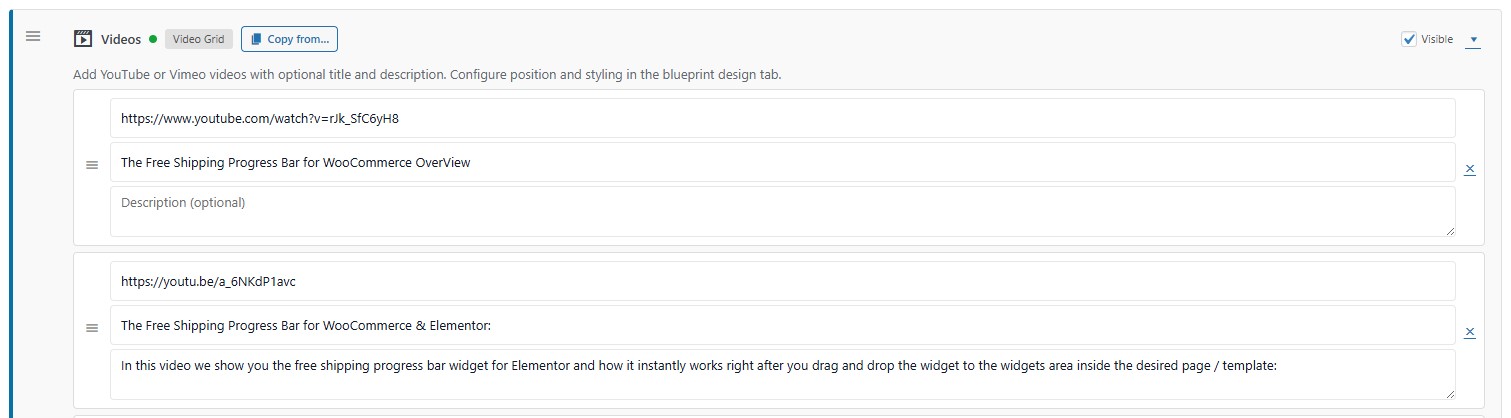 The videos section
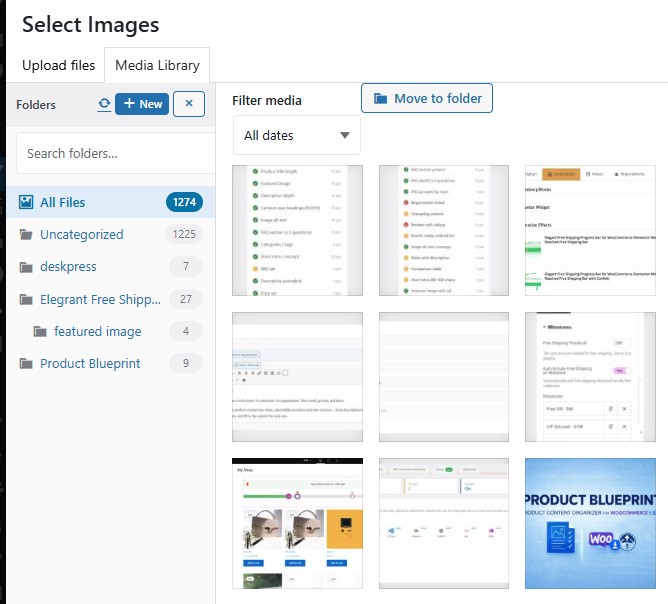 Folders inside the Media Library for better media organization
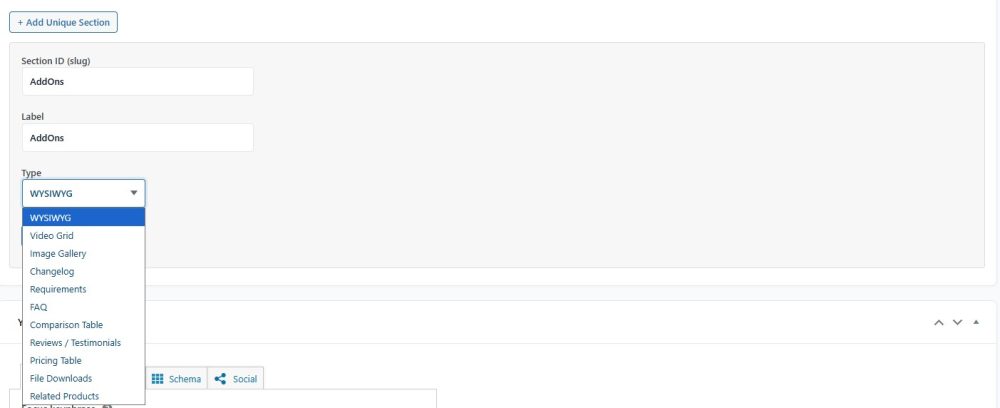
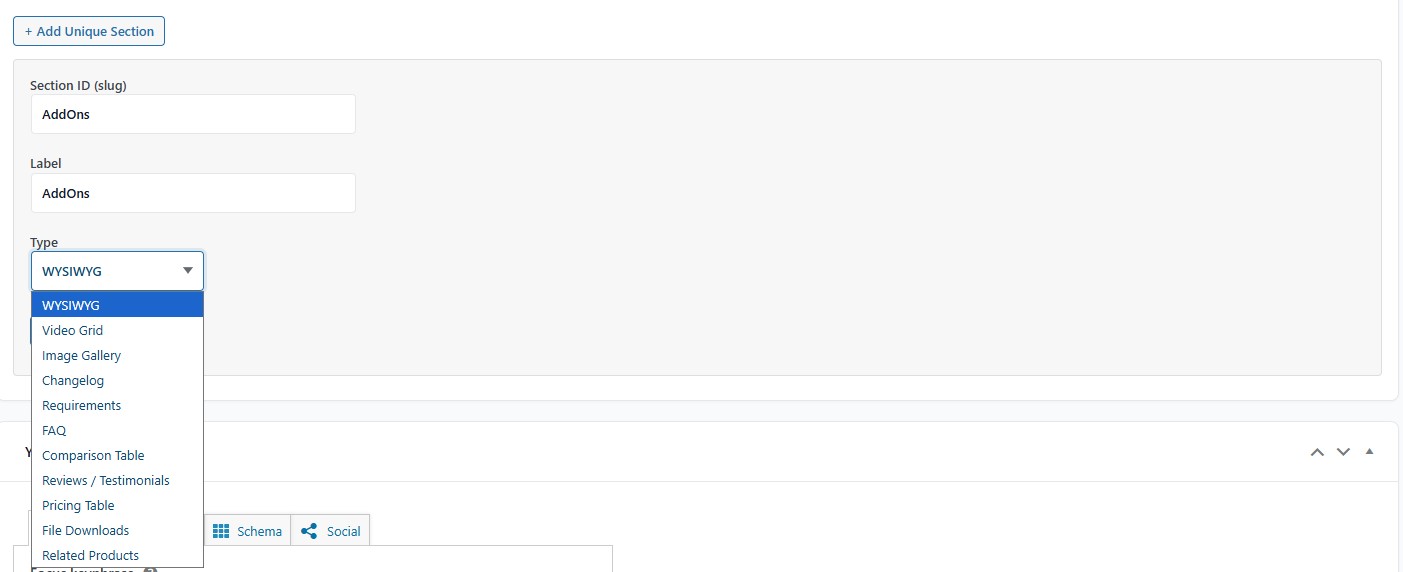 Adding unique sections to specific products
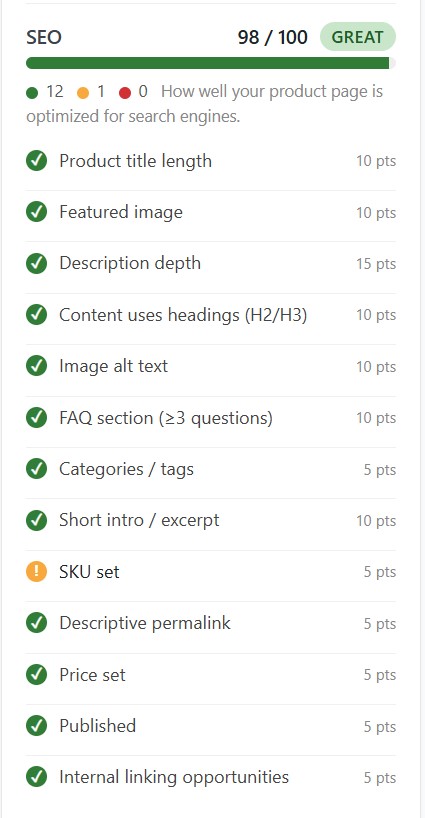 SEO optimization tool inside every product
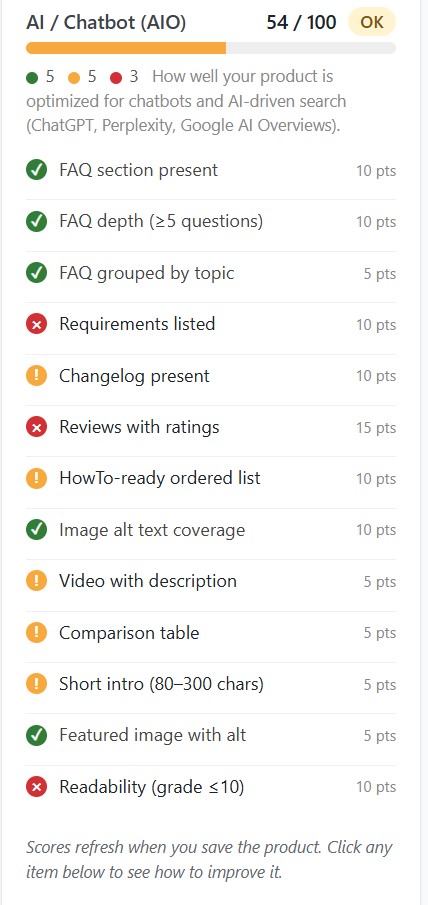 AI optimization (AIO) tool inside every product
Faqs
What it does & who it's for
Product Blueprint is a content organizer for EDD and WooCommerce product pages. It structures your product content into clean accordion, tabs, or full-page layouts with 11 section types — FAQ, features, pricing, reviews, galleries, comparisons — and automatically emits rich schema for Google and AI search.
EDD and WooCommerce store owners who sell digital products, plugins, courses, or detailed physical goods. If your product needs more than a paragraph of description, Product Blueprint organizes benefits, features, FAQs, and specs without stitching together five separate plugins.
No code required. Every section is configured through a simple admin UI — pick a section type, fill in the content, and the frontend renders automatically with the right structure, schema, and accessibility markup.
How it works
You create a Blueprint — a reusable template defining which sections appear on a product page. Apply the blueprint to any product, fill in that product's specific content, and the page renders with clean structure plus automatic SEO and AI-search signals.
11 built-in section types covering every common need: rich text, video grids, image galleries, FAQs, reviews, pricing tables, requirements, changelogs, comparison tables, file downloads, and feature grids — plus trust icons, how-to steps, and related products.
Yes — that's the core idea. Define a blueprint once (e.g. Plugin Template, Course Template), apply it to every product of that type, then just fill in each product's specific content. Change the blueprint and every product updates at once.
Comparisons
Elementor builds one-off custom pages. Product Blueprint is a reusable structural system for consistent product pages at scale — a CMS for product content, not a drag-and-drop canvas. Both work side by side; Product Blueprint even ships Elementor widgets.
Default templates assume one paragraph and done. Product Blueprint adds rich structured sections with built-in schema for Google rich results and AI search (ChatGPT, Claude, Perplexity) — essentials for modern eCommerce that EDD and Woo don't include out of the box.
For most stores, yes. Custom templates are expensive to maintain, hard to change, and need re-coding as requirements evolve. Product Blueprint delivers the same structure without code and auto-emits schema and AIO signals a custom template would need extra work to add.
Those plugins handle one content type each. Product Blueprint unifies FAQ, reviews, pricing, features, and more into one coordinated product page — no more stitching together 5–7 plugins that each style differently and each emit their own conflicting schema.
Results / benefits
Structured content reduces hesitation. Customers scan benefits, check compatibility, read FAQs, and see pricing in one clear layout — less confusion, more confident purchases. The hero extras (benefit bullets, trust icons, secondary CTA) specifically target conversion lift.
Yes. Product Blueprint auto-emits rich JSON-LD (Product, SoftwareApplication, FAQPage, HowTo, BreadcrumbList), Open Graph tags, an llms.txt feed, and AI-crawler rules in robots.txt. Your products become easier for both Google AND ChatGPT, Claude, and Perplexity to understand and recommend.
Compatibility
Yes. Product Blueprint works on both — same blueprints, same sections, same schema output. If you ever migrate platforms you don't have to rebuild your product content from scratch.
Yes. Product Blueprint detects your SEO plugin and steps aside where it already does the job. It focuses on product schema and AI-search signals those plugins don't cover — plus a Plugin Conflict Advisor flags any overlaps with one-click fixes.
Use cases
Stores with 10 or more products (reusable blueprints compound the time savings), stores selling digital products or plugins where rich schema is essential, and stores that want better AI-search visibility without hiring a developer.
Now, if your product pages are one-paragraph descriptions and you want more structure, better SEO, and visibility in AI search — without re-coding. Stores that wait usually realize later how much revenue clearer, structured product pages would have produced.