
Memberpress WooCommerce Plus – Member Profile AddOn
Description
The MemberPress WooCommerce Plus – Member Profile Add-On gives your members a single, unified account view that finally brings their MemberPress access and their WooCommerce billing together in one place.
When a customer buys a MemberPress membership through your WooCommerce store, their account is normally split across two different areas: MemberPress handles membership access and courses, while WooCommerce handles orders, subscriptions, cancellations and payment methods. Your members are left guessing where to go to manage their own account – and that guesswork lands in your support inbox.
The Member Profile Add-On solves this by unifying both worlds into one clean, self-service dashboard, and it routes every billing action (renew, update payment method, cancel) straight to the correct WooCommerce screen. Your members always know exactly where they stand and what to do next.
[note note_color="#FFD698"]
Please Read:
- The Member Profile Add-On requires also having the MemberPress WooCommerce Plus plugin.
- It is designed for local memberships sold through WooCommerce; subscription billing links rely on WooCommerce Subscriptions.
[/note]
Exclusive Features:
- One Unified Account View – Memberships, courses, subscriptions and orders are displayed together in a single, easy-to-read dashboard, so your members never have to jump between MemberPress and WooCommerce to understand their account.
- Three Display Surfaces (Use One, Two or All Three) – Show the unified profile as a "My Memberships" tab inside the WooCommerce My Account page, as a section appended to the MemberPress account page, or anywhere on your site using the [mpwoo_account] shortcode. Each surface is enabled and configured independently.
- Direct Manage / Cancel Links – Every membership and subscription includes a button that takes the member straight to the correct WooCommerce screen to manage or cancel billing – no more "where do I cancel?" support tickets.
- Smart At-Risk Billing Alerts – Memberships that need attention are highlighted automatically: past due (on hold), scheduled to cancel, or expired / cancelled – each with a clear explanation and a link to fix it.
- Membership » Order Traceability – Each membership shows the exact WooCommerce order(s) it was purchased in, and links subscription-based memberships back to their original order.
- Course Access & Live Progress – Members see the MemberPress courses they can access, each with a live status badge: Not started, In progress, or Completed.
- Subscriptions & Billing at a Glance – Every subscription shows its status, which membership it grants, and its next payment date – all in plain language.
- Recent Orders – A configurable list of recent WooCommerce orders (1–50) with quick "View" links.
- Update Payment Method in One Click – On the shortcode and MemberPress surfaces, a one-click button links members directly to the WooCommerce payment-methods page.
- Fully Configurable Per Surface – Every section and every detail (billing alerts, order lines, course progress, Manage/Cancel buttons) can be toggled on or off independently for each surface.
- Match Your Brand – Set a custom accent colour for buttons and badges, and customise the intro explainer, the tab / menu label and the page heading.
- Built-in Live Preview – The settings screen shows a live preview of each surface with sample data, so you can see exactly how the profile will look before you enable it.
Plugins You Need:
In order to use the "MemberPress WooCommerce Plus – Member Profile Add-On" you need to have these plugins installed on your website:
- WooCommerce (+Woo Subscriptions extension for subscription-based memberships and the Manage / Cancel links)
- MemberPress
- MemberPress WooCommerce Plus Plugin
Features
The Member Profile Add-On exposes the same unified account view through three surfaces, each with its own settings group. You decide which ones to switch on and exactly what each one shows.
Surface 1: The "My Memberships" Tab in WooCommerce My Account
Adds a new tab (labelled "My Memberships" by default – you can rename it) to the WooCommerce My Account page. It shows the member's active memberships, the courses they can access with live progress, and their subscriptions with Manage / Cancel links. On this surface the Orders section and the Update-payment-method button are hidden automatically, because WooCommerce already provides its own Orders and Payment-methods tabs.
Surface 2: The MemberPress Account Page
Appends the unified summary directly below MemberPress's own account content – Memberships, Subscriptions & Billing and Recent Orders. Courses are not repeated here because MemberPress already lists them on its account page.
Surface 3: The [mpwoo_account] Shortcode
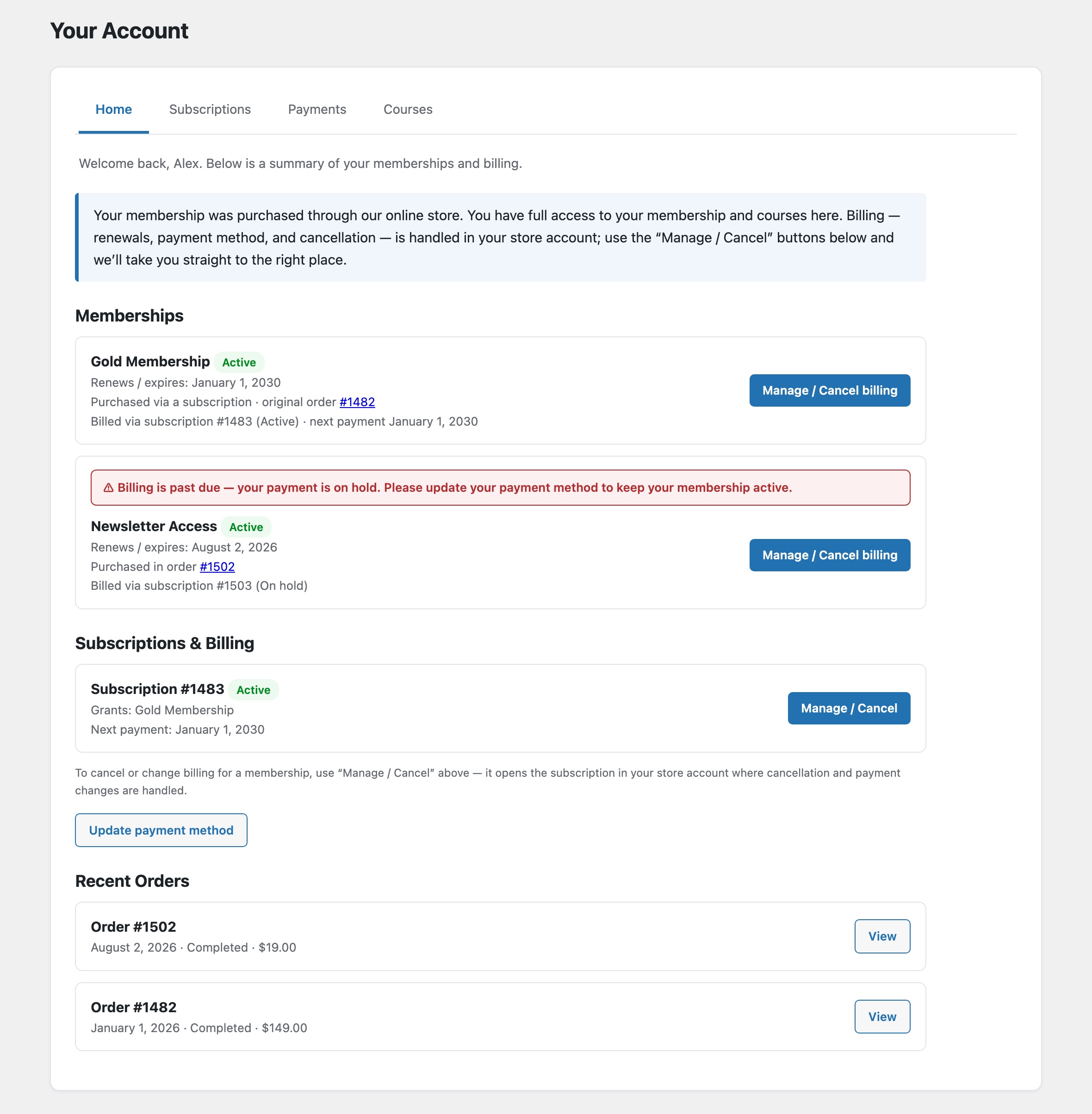
Place the [mpwoo_account] shortcode on any page to render a standalone account dashboard with a custom heading – Memberships, Courses, Subscriptions & Billing and Recent Orders, complete with a one-click "Update payment method" button.
At-Risk Billing Alerts
When a member's subscription is past due, scheduled to cancel, or has ended, the matching membership is highlighted with a clear coloured alert that tells the member exactly what happened and how to keep their access – turning silent churn into an easy, self-service fix.
Dedicated Settings Tab with Live Preview
All of the above is controlled from a dedicated "Member Profile" tab under the MemberPress WooCommerce Plus settings. Choose your accent colour, edit the intro text, toggle every section and detail per surface, and watch a live preview update as you go.
Screenshots
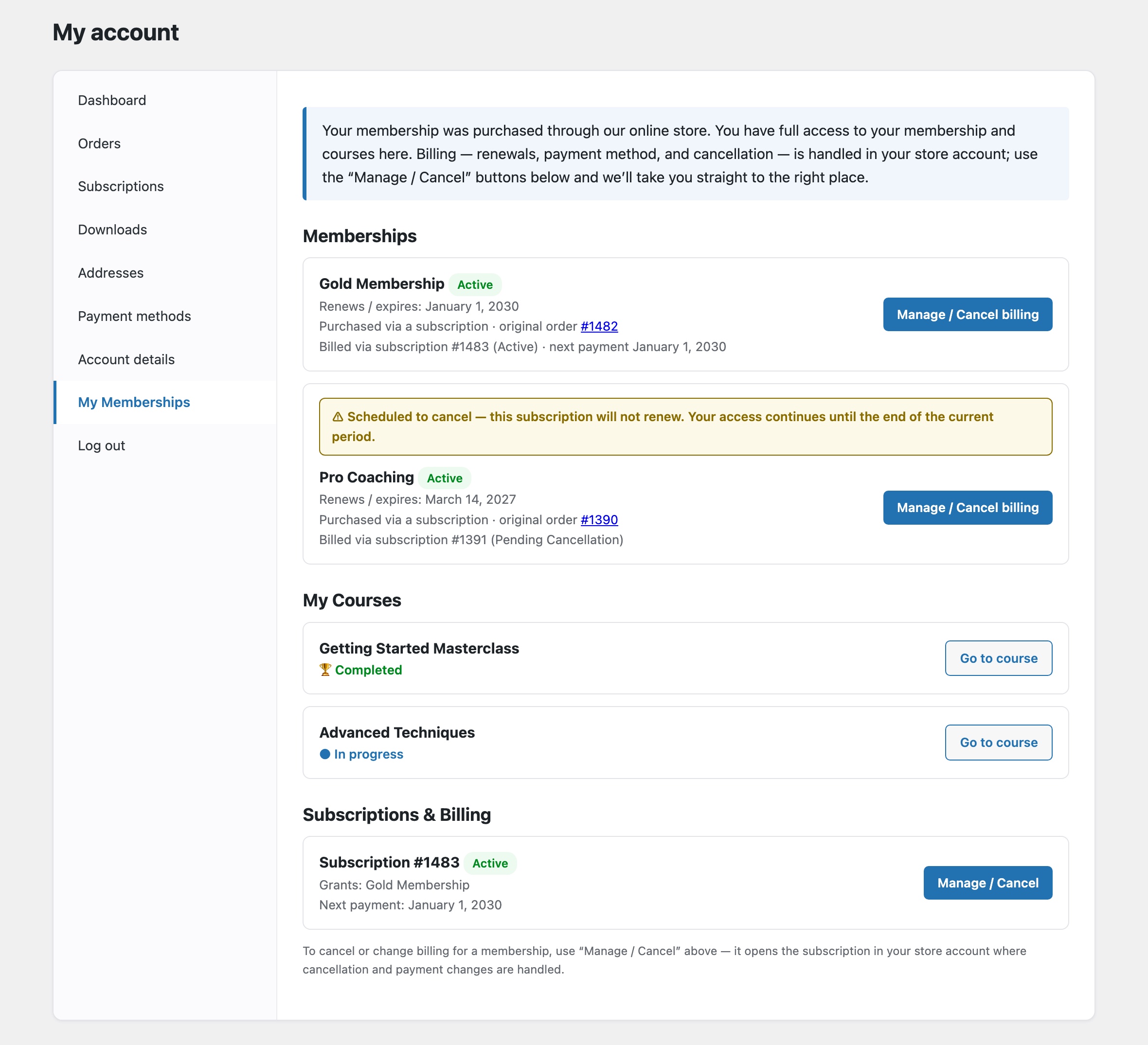 MemberPress WooCommerce Plus - Member Profile: WooCommerce My Account tab
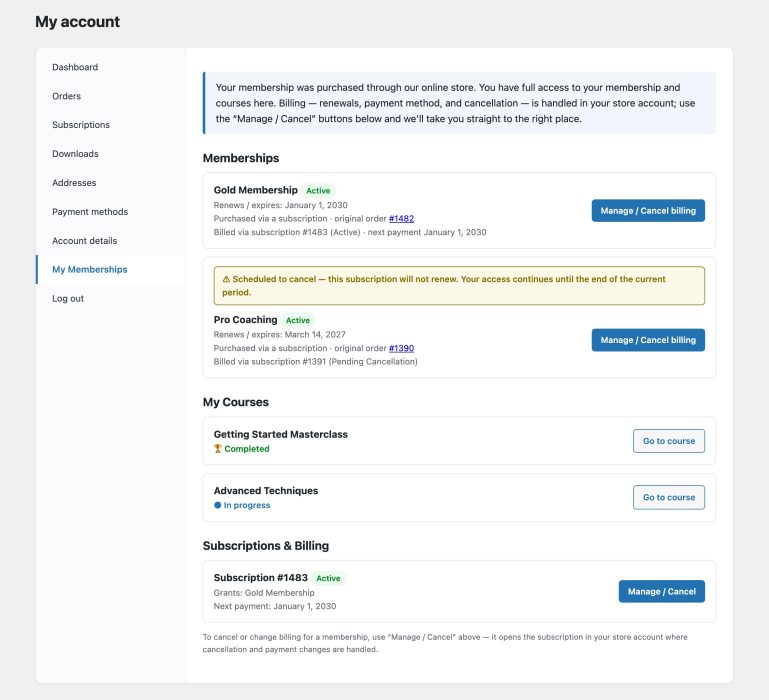
 MemberPress WooCommerce Plus - Member Profile: MemberPress account page
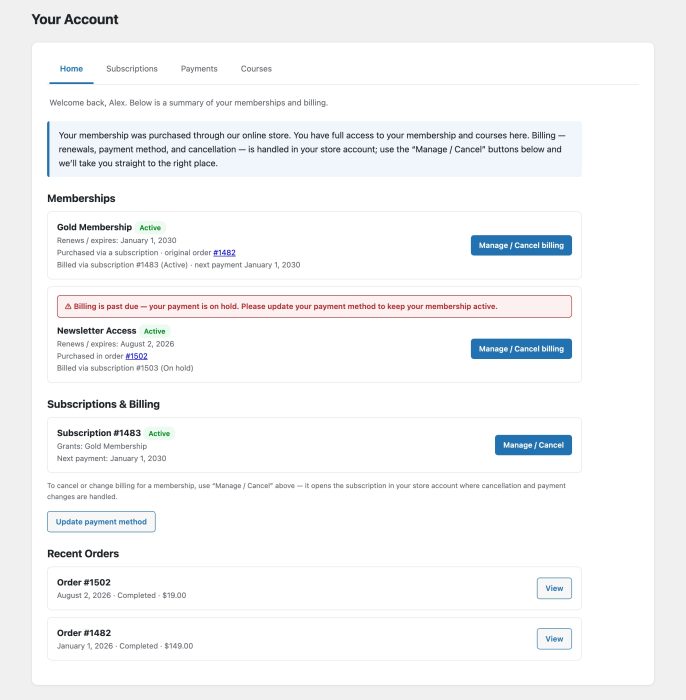
![MemberPress WooCommerce Plus - Member Profile: [mpwoo_account] shortcode](https://happyplugins.com/wp-content/uploads/MemberPress-WooCommerce-Plus-Member-Profile-Shortcode.jpg) MemberPress WooCommerce Plus - Member Profile: [mpwoo_account] shortcode
MemberPress WooCommerce Plus - Member Profile: [mpwoo_account] shortcode
![MemberPress WooCommerce Plus - Member Profile: [mpwoo_account] shortcode](https://happyplugins.com/wp-content/uploads/MemberPress-WooCommerce-Plus-Member-Profile-Shortcode-651x700.jpg)
Requirements
| Requirement | Minimum |
|---|---|
| WordPress | 6.9 and higher |
| MemberPress | 1.12 and higher |
| WooCommerce | 10.6 and higher (+ WooCommerce Subscriptions for subscription memberships) |
| MemberPress WooCommerce Plus Plugin | 1.4.7 and higher |