
Memberpress WooCommerce Plus – Corporate Accounts AddOn
Description
The MemberPress WooCommerce Plus - Corporate Add-On allows you to sell MemberPress corporate accounts via WooCommerce.
The add-on is very powerful and expends the official MemberPress corporate accounts add-on functionalities to a whole new level that will maximize your sales and revenues significantly.
The “MemberPress WooCommerce Plus Corporate Add-On” allows you to create unique corporate accounts combinations.
The MemberPress WooCommerce Plus - Corporate Add-On completes the integration for MemberPress WooCommerce Plus when using MemberPress and their official Corporate Accounts add-on.
The MemberPress Official Corporate Accounts Add-On allows you to sell memberships to corporate organizations, families, churches, or any group of people where one member pays for a collection of people to access your content individually.
Our MemberPress WooCommerce Plus Corporate Add-On takes the integration to a whole new level by allowing you to sell corporate accounts via WooCommerce, and not just that...
Using the regular MemberPress corporate integration you are limited to specific settings per membership.
With our add-on you can to define multiple corporate settings per MemberPress membership and sell them via WooCommerce products.
This will allow you to create unique combinations to increase your sales and revenues.
Using this add-on you can specify different corporate settings for the same MemberPress membership product.
The MemberPress WooCommerce Plus - Corporate Add-On also works with any type of WooCommerce products: simple products, subscription products and more!
Plugins You Need:
In order to use the "MemberPress WooCommerce Plus - Corporate Add-On" you need to have these plugins installed on your website:
- WooCommerce (+Woo Subscriptions extension if you are selling subscriptions)
- MemberPress
- The Official MemberPress Corporate Accounts Add-On
- MemberPress WooCommerce Plus Plugin
Features
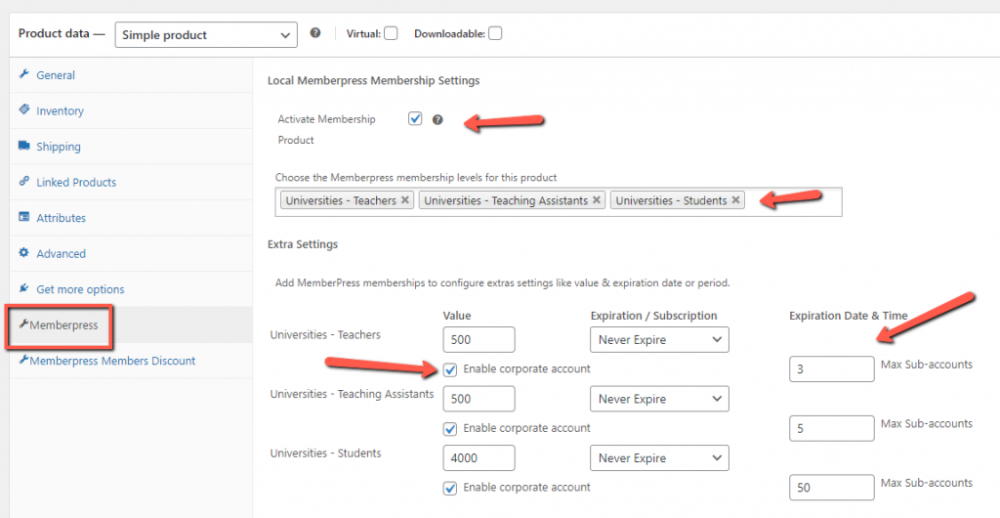
Let’s say you want to create a corporate account for several universities you work with, And you want the corporate account to have the following hierarchy:
- 50 sub accounts for students
- 5 sub accounts for teaching assistants
- 3 sub accounts for teachers
You want every level to have access to different type of content, but you want the university to purchase all sub accounts in one purchase process.
All you need to do is to create 3 MemberPress memberships: One for students, one for teaching assistants and one for teachers.
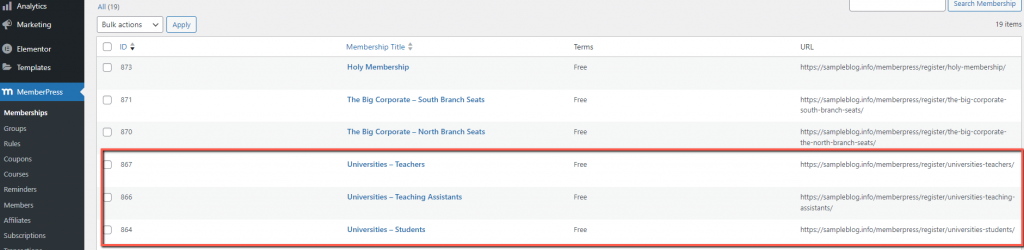
Then, you need to create a single WooCommerce product, select the product type and the product settings,
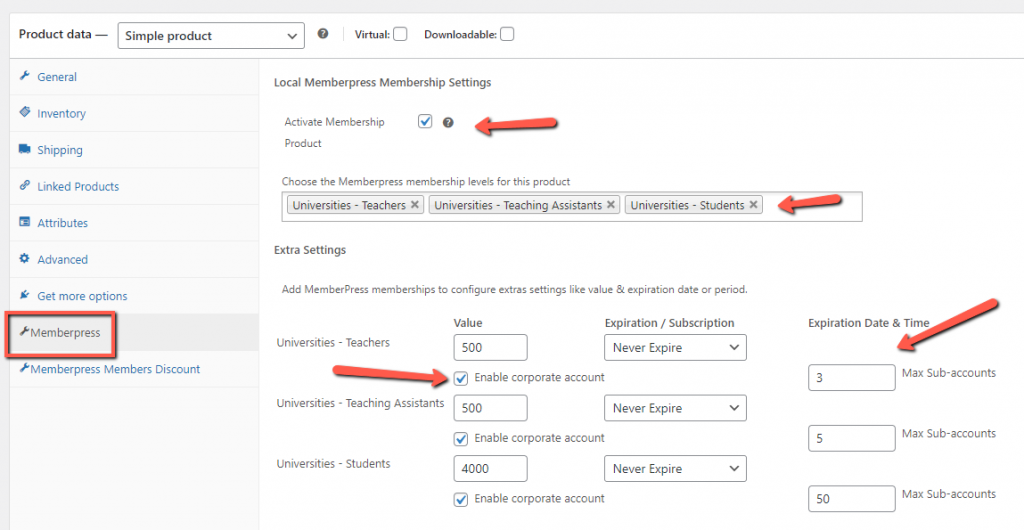
And then go to the Memberpress tab, activate the membership product, choose the relevant memberships and define the extra settings:
First, type the value. The value will be reflected in the MemberPress reports dashboard.
The value can be identical to the price of the WooCommerce product, or it can be lower, if the membership is just a portion of the overall product.
- Choose the expiration date or period.
- For ongoing memberships, choose “never expire”.
- For time-limited memberships, choose “expire on a date”
- And for subscription-based memberships, choose “expire after a period”. The period should be the same as the period you defined in the “general” tab. We explain more about how subscriptions work in another video tutorial.
- Now enable the corporate account and choose the number of sub accounts that will be created for that specific MemberPress membership.
- Save the settings and complete a test purchase in incognito and check that the purchase is completed successfully and that the sub accounts have been created.
Screenshots
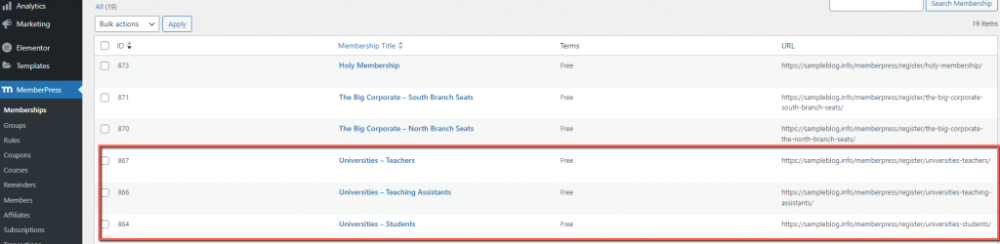
- MemberPress WooCommerce Plus - MemberPress memberships
- MemberPress WooCommerce Plus - Memberpress tab
Videos
Videos
Requirements
| Requirement | Minimum |
|---|---|
| WordPress | 6.9 and higher |
| MemberPress | 1.12 and higher |
| WooCommerce | 10.6 and higher |
| MemberPress WooCommerce Plus Plugin | 1.3.8 |