

Member Registration for MemberMouse & Elementor Pro
Description
Member Registration for MemberMouse & Elementor Pro plugin allows you to create beautiful MemberMouse registration forms using Elementor Pro.
The form will register the member according to any free membership level/s you choose.
You can use the power of Elementor Pro forms and register members to your membership site, create stunning and eye-ball catching registration forms and increase your registration and conversion rates.
Exclusive Features:
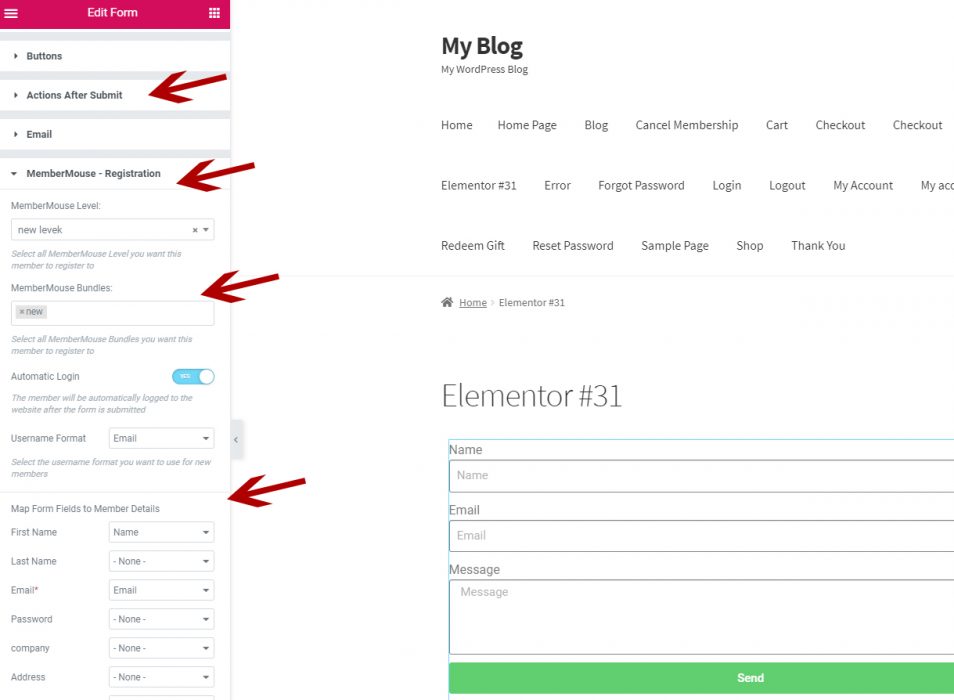
- Supports Membership Levels Registration & Bundle/s - Define in the form's settings all the relevant MemberMouse membership level and bundle/s and the member will be added to all of them after he completes the form
- Automatic Login After Registration - The member will be automatically logged-in to the membership site after he completes the registration form
- Supports All Elementor Pro Fields - You can add all types of Elementor Pro fields to the registration form and the data will be transferred
- Choose Username Format - Select whether the username will be Email / First name + Last Name / Email Prefix
Screenshots:
Here are the steps to adding the MemberMouse settings to the Elementor form:
Step #1 - Add a new post / page or click the Edit with Elementor on an existing page
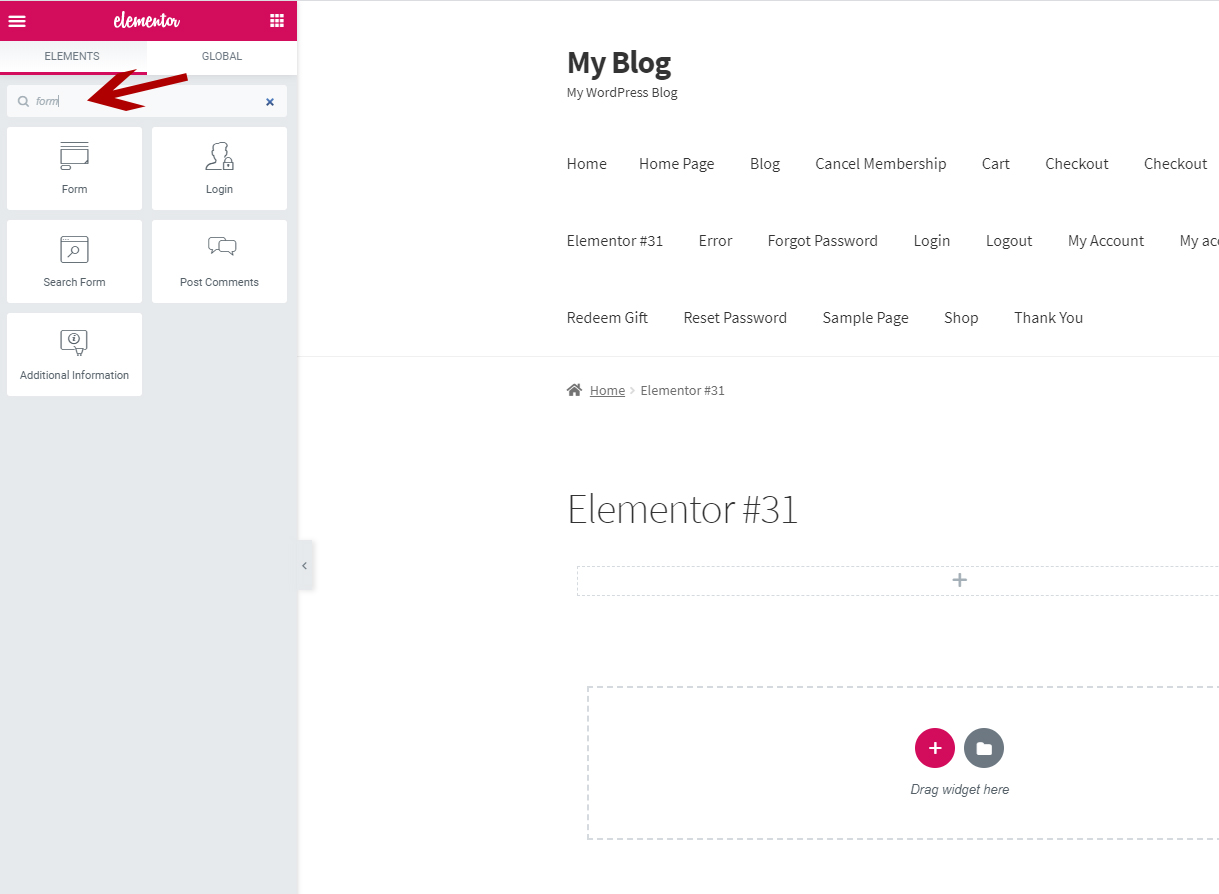
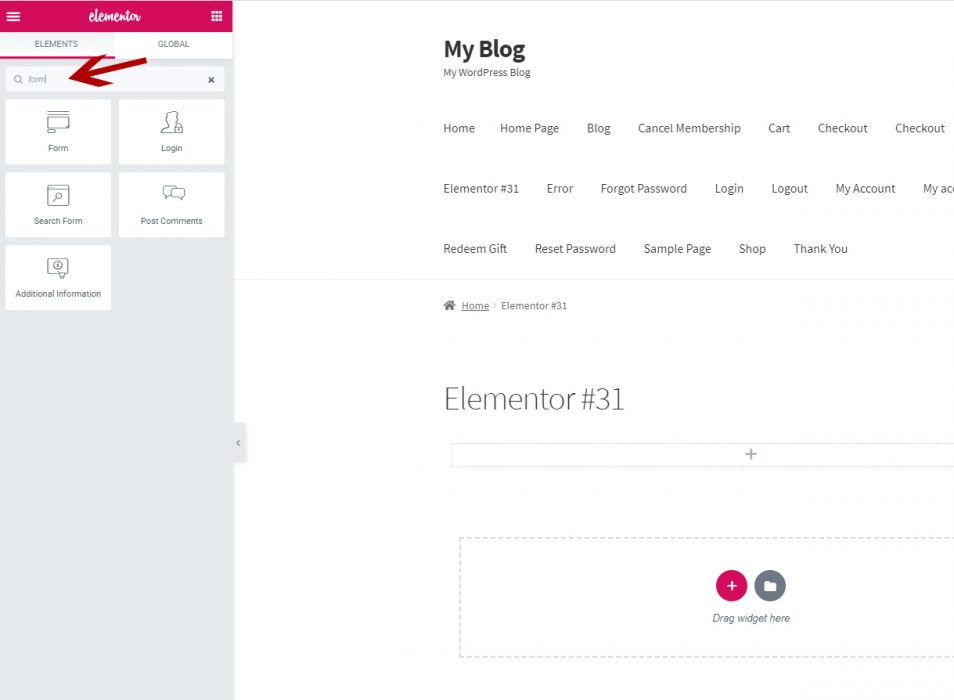
Step #2 - Search for the Form element in the Search Widget field and drag the element to the relevant section and block
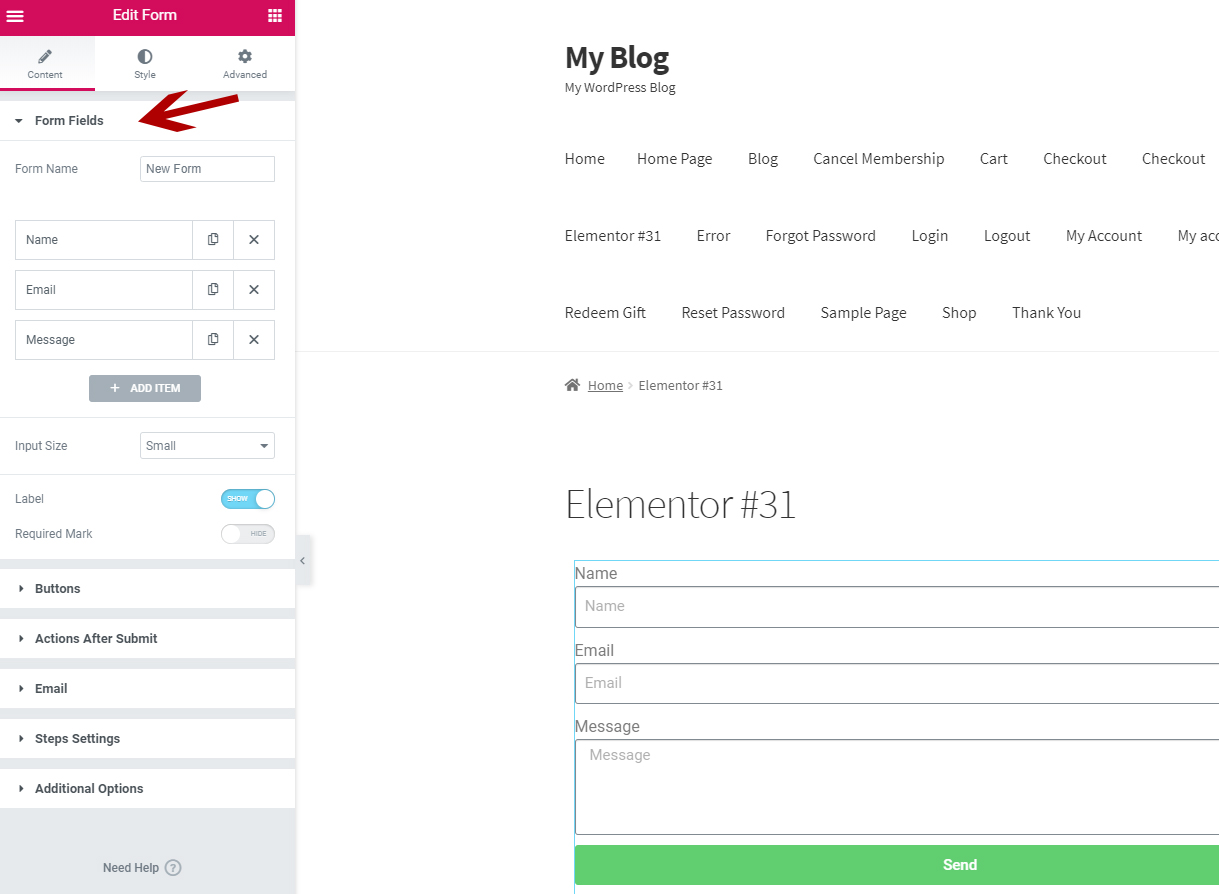
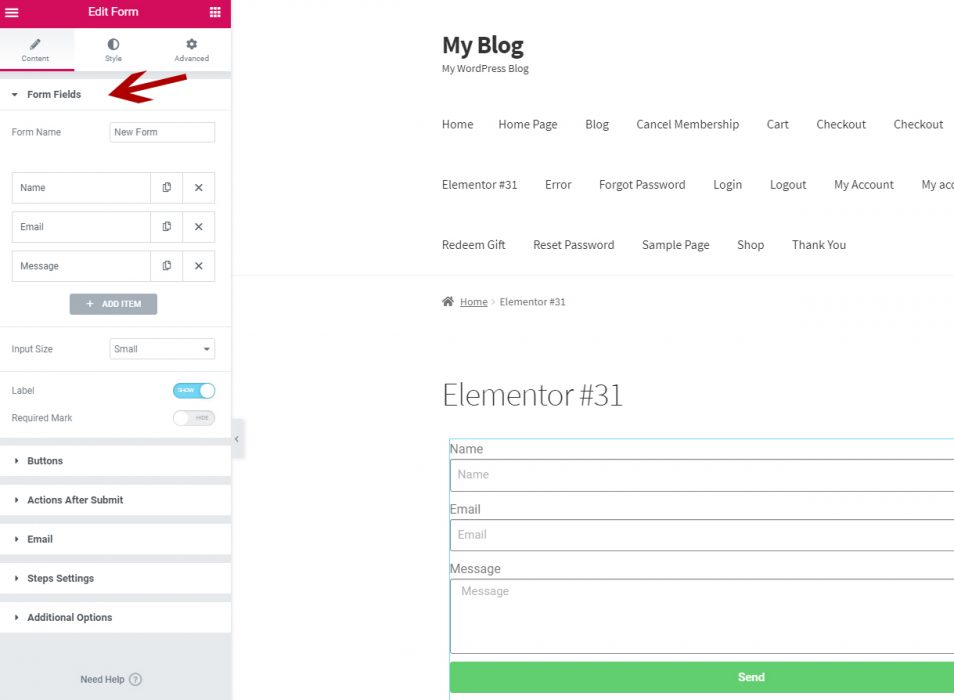
Step #3 - Define the content according to your needs, including: Form Fields, Buttons, Actions After Submit etc.
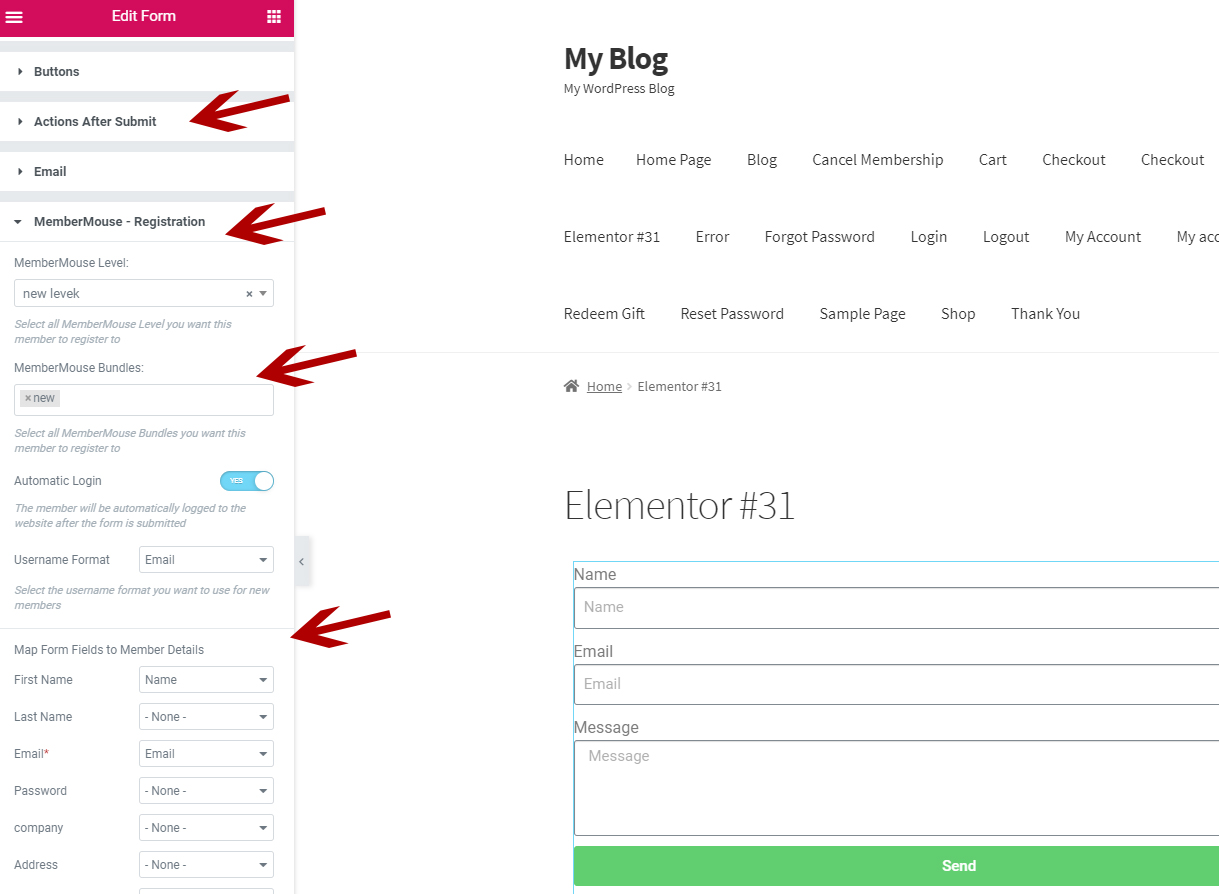
Step #4 - Add the "MemberMouse - Registration" in the "Actions After Submit" and define the MemberMouse registration form, including: Choose the relevant membership level/s, username format and map the form fields
That's it! Now every time a user will register via the form he will be added to the relevant membership level.
Screenshots
- MemberMouse Elementor Pro Forms Integration - Step 2
- MemberMouse Elementor Pro Forms Integration - Step 3
- MemberMouse Elementor Pro Forms Integration - Step 4
Videos
Member Registration for MemberMouse & Elementor Pro
Requirements
| Requirement | Minimum |
|---|---|
| WordPress | 5.3.2 |
| MemberMouse | 2.2.9 |
| Elementor Pro | 2.10.3 |