
Elegant Free Shipping Progress Bar for WooCommerce
The Free Shipping Bar that Actually Converts!
Description
The Free Shipping Progress Bar that Actually Converts!
The Elegant Free Shipping Progress Bar for WooCommerce plugin is the most advanced and highly converting progress bar that will make customers increase their overall order value and will allow you to maximize sales and revenues.
This is the first and only progress bar that is fully compatible with both Elementor page builder and Gutenberg block editor.
Features
Increase Sales & Conversions
- Boost Average Order Value (AOV) – encourages customers to add more items
- Increase revenue without discounts – no need to lower your prices
- Reduce cart abandonment – keeps users focused on completing checkout
- Motivates action visually – customers instantly see how close they are
Smart Psychology Built-In
- Completion effect – users feel compelled to finish the progress (especially circular)
- Clear visual goals – removes hesitation and friction
- Gamified experience – turns free shipping into an achievement
Flexible Design & Placement
- Place anywhere in your store – product pages, cart, checkout, shop, archive, header, etc.
- Full Elementor & Gutenberg support – no layout restrictions
- Multiple styles – glossy, neon, glass, 3D, gradients, and more
- RTL support – perfect for Hebrew and other RTL languages
Dynamic & Interactive Experience
- Real-time updates – automatically updates as cart changes
- Custom free shipping threshold – set any amount you want
- Color progression – bar changes color as users get closer
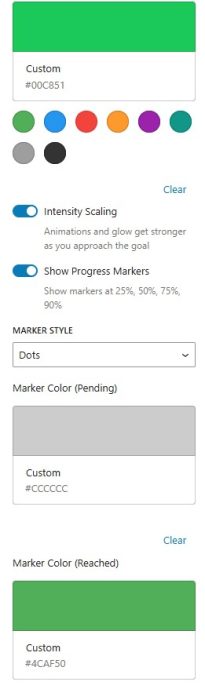
- Milestone markers – 25%, 50%, 75%, 100% checkpoints
- Encouraging messages – dynamic motivation based on progress
Engaging Effects
- Animations – pulse, shimmer, wave, glow
- Celebration effects – confetti, fireworks, and more when goal is reached
- Creates a fun shopping experience – keeps users engaged and satisfied
Easy to Use (No Coding Needed)
- Add the block > Add the free shipping threshhold > Done!
Screenshots
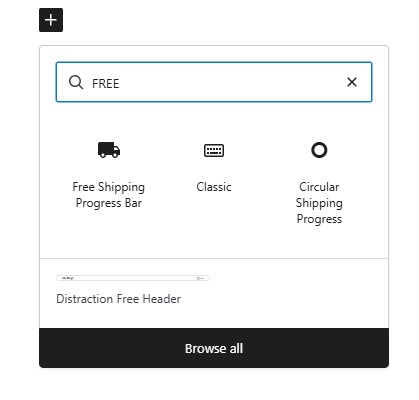 Elegant Free Shipping Progress Bar for WooCommerce - Gutenberg Block
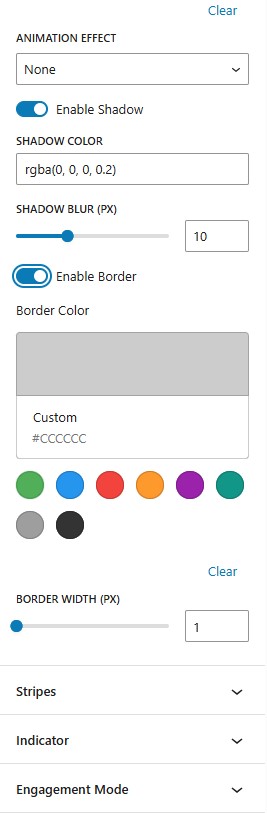 Elegant Free Shipping Progress Bar for WooCommerce - Animation Effects
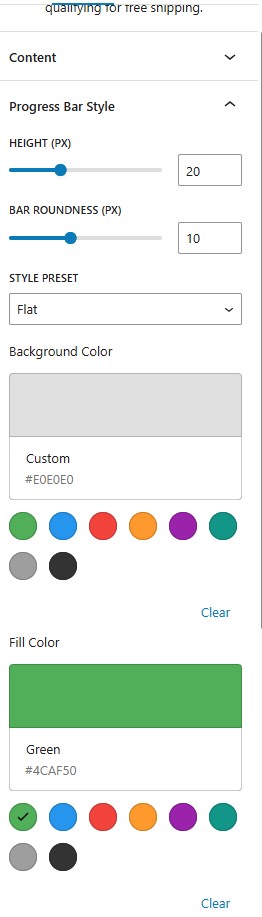 Elegant Free Shipping Progress Bar for WooCommerce - Progress Bar Style
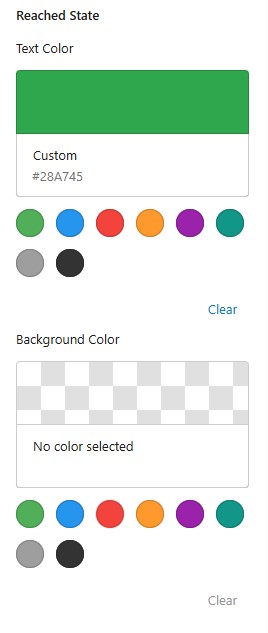 Elegant Free Shipping Progress Bar for WooCommerce - Progress Bar Colors 2
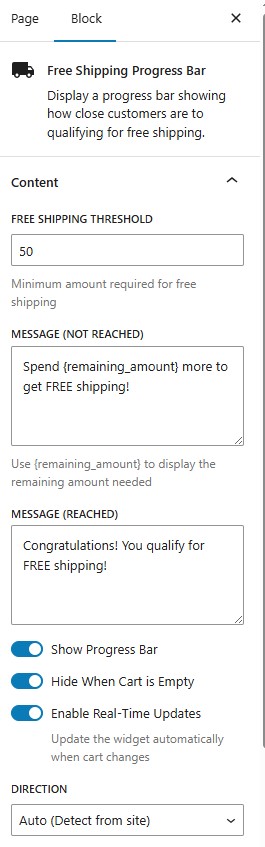 Elegant Free Shipping Progress Bar for WooCommerce - Content Settings
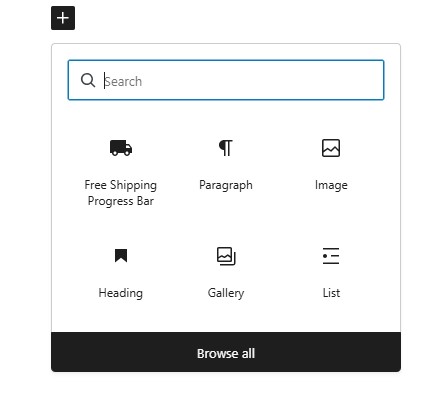 Elegant Free Shipping Progress Bar for WooCommerce - Gutenberg Block
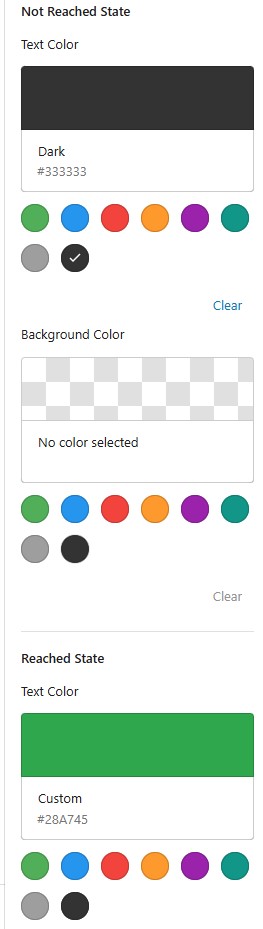 Elegant Free Shipping Progress Bar for WooCommerce - Progress Bar Colors
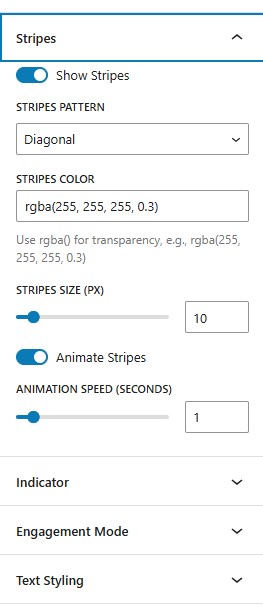 Elegant Free Shipping Progress Bar for WooCommerce - Progress Bar Stripes
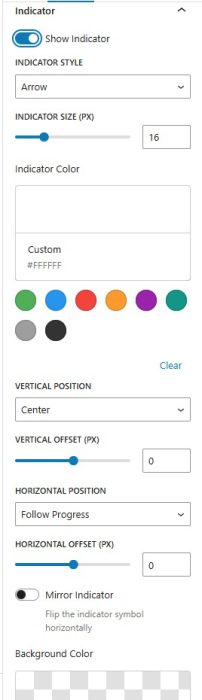
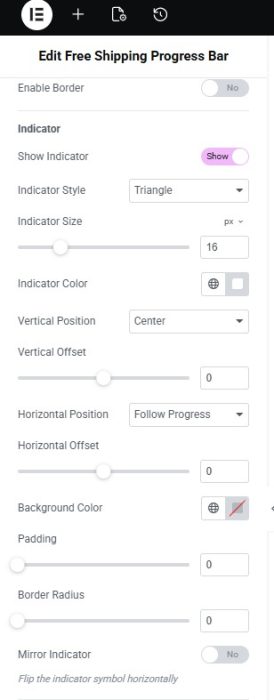
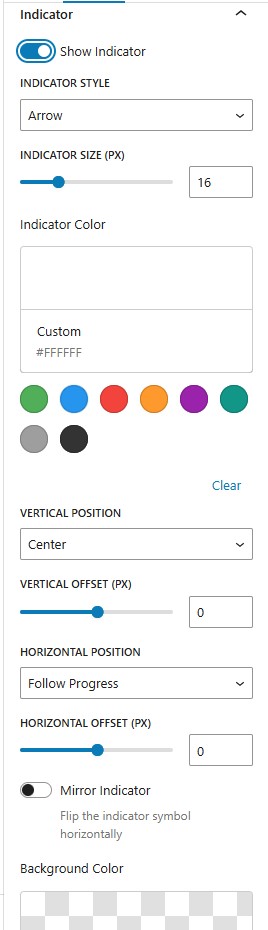 Elegant Free Shipping Progress Bar for WooCommerce - Indicator
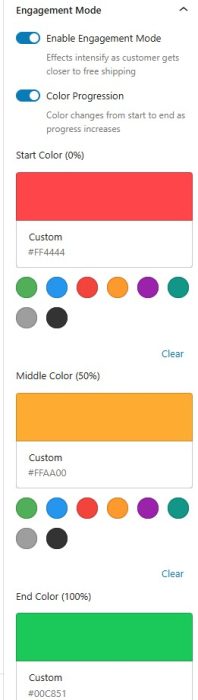
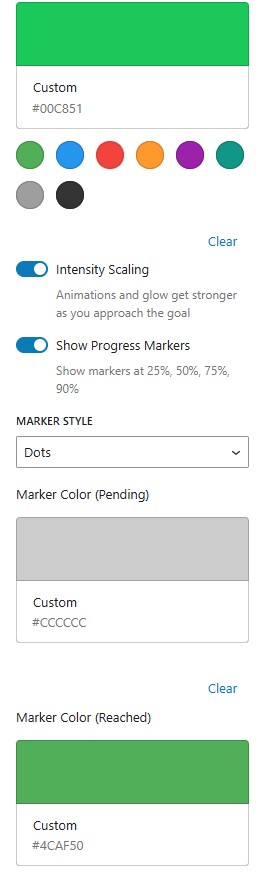 Elegant Free Shipping Progress Bar for WooCommerce - Engagement Mode 2
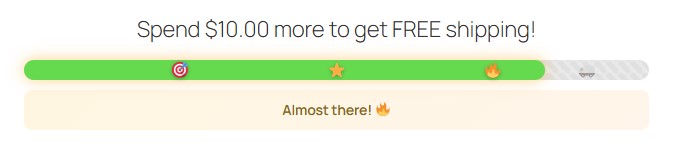 Elegant Free Shipping Progress Bar for WooCommerce Elementor Widget - Almost There Shipping Bar
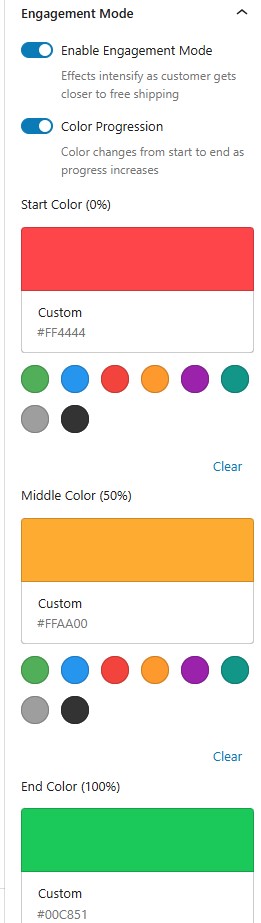 Elegant Free Shipping Progress Bar for WooCommerce - Engagement Mode 1
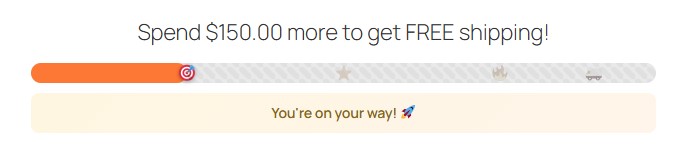 Elegant Free Shipping Progress Bar for WooCommerce Elementor Widget - You're on your way Shipping Bar
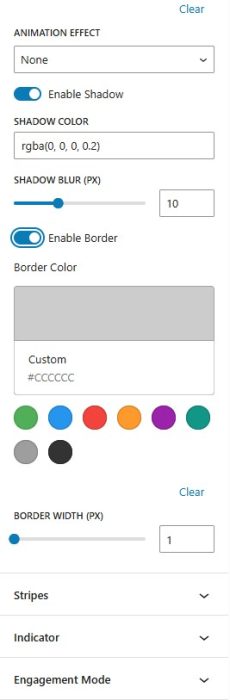
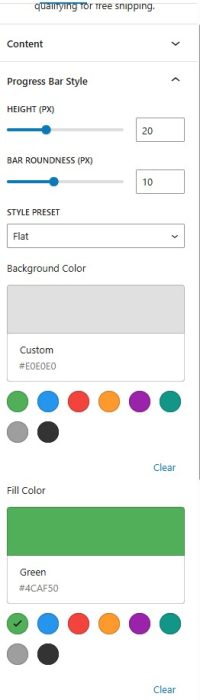
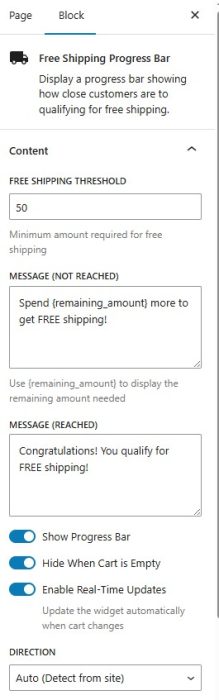
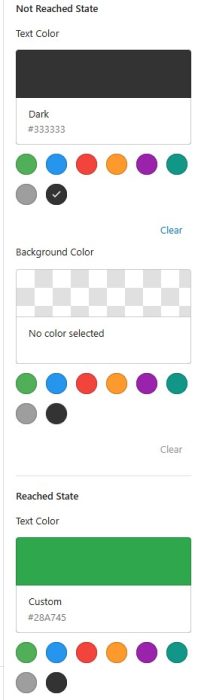
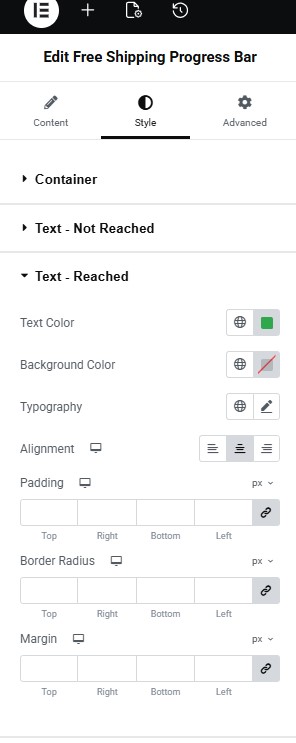 Elegant Free Shipping Progress Bar for WooCommerce Elementor Widget - Reached Free Shipping Text Settings
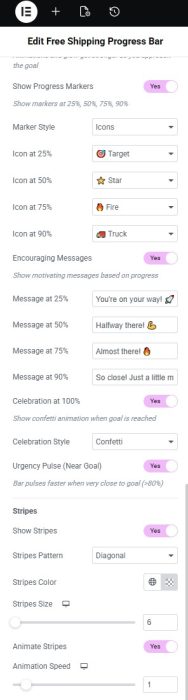
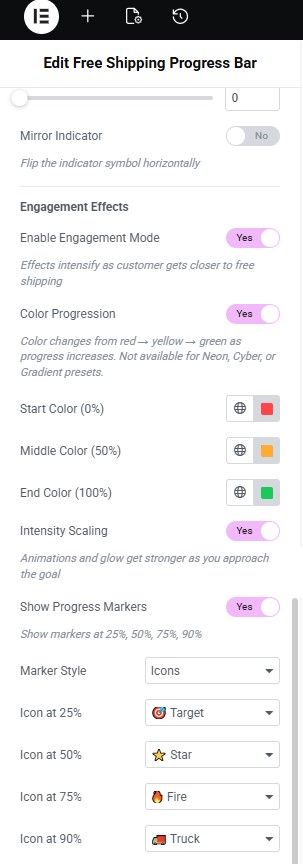 Elegant Free Shipping Progress Bar for WooCommerce Elementor Widget - Progress Bar Engaging Messages
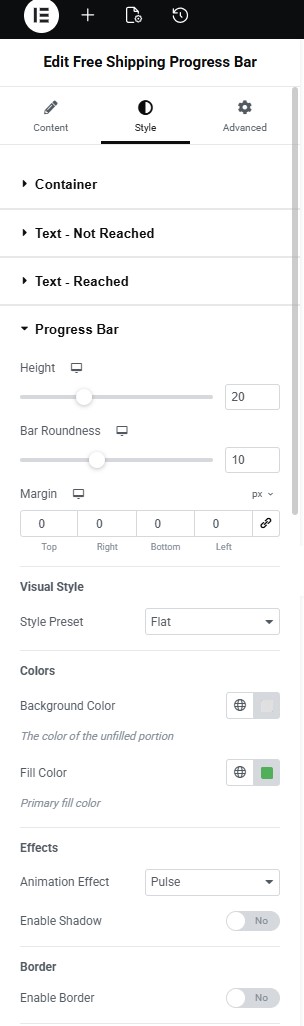 Elegant Free Shipping Progress Bar for WooCommerce Elementor Widget - Progress Bar
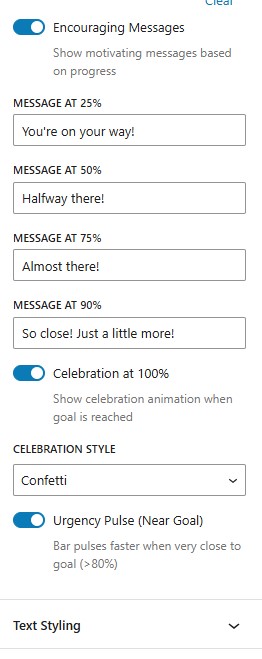 Elegant Free Shipping Progress Bar for WooCommerce - Encouraging Messages
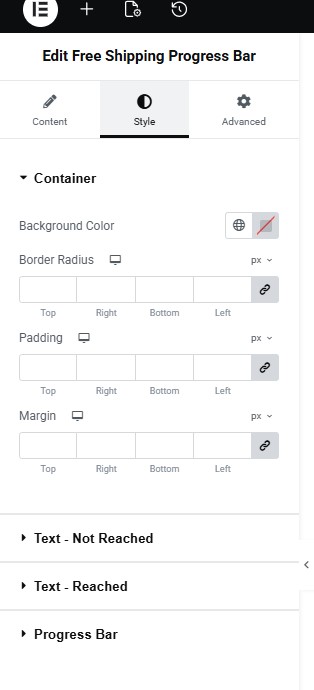 Elegant Free Shipping Progress Bar for WooCommerce Elementor Widget - Conteiner Settings
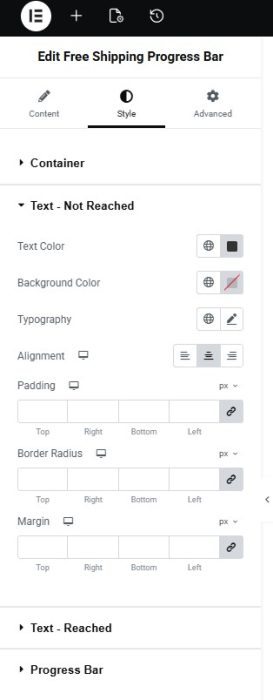
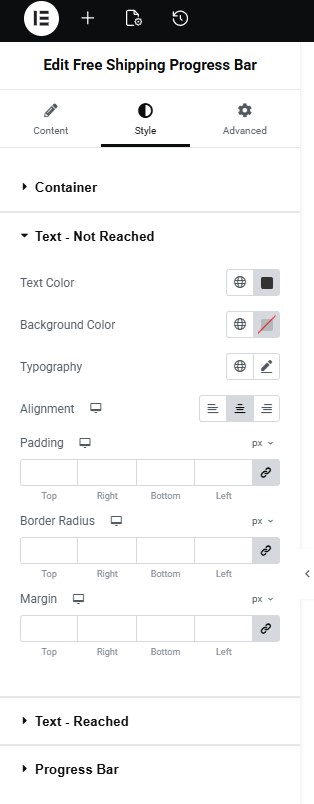 Elegant Free Shipping Progress Bar for WooCommerce Elementor Widget - Not Reached Free Shipping Text Settings
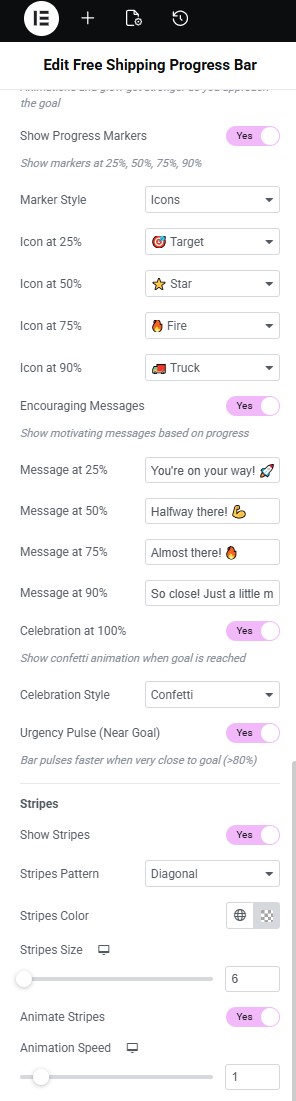 Elegant Free Shipping Progress Bar for WooCommerce Elementor Widget - Encouraging Messages Settings
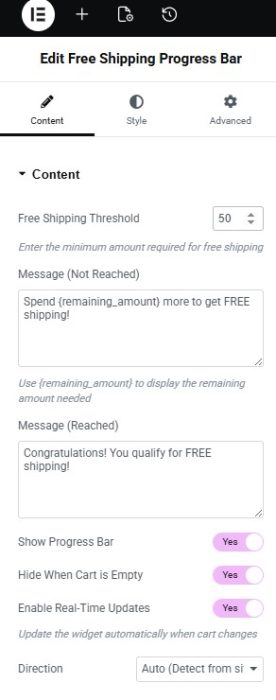
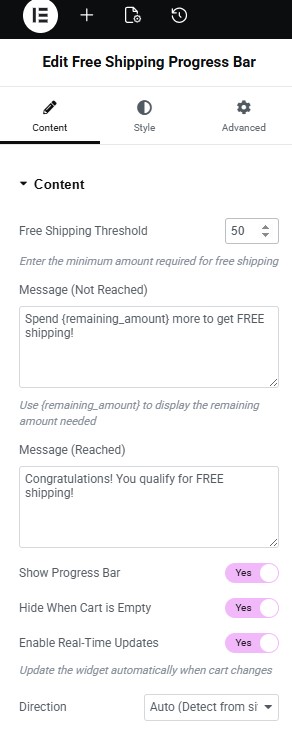 Elegant Free Shipping Progress Bar for WooCommerce Elementor Widget - Content Settings
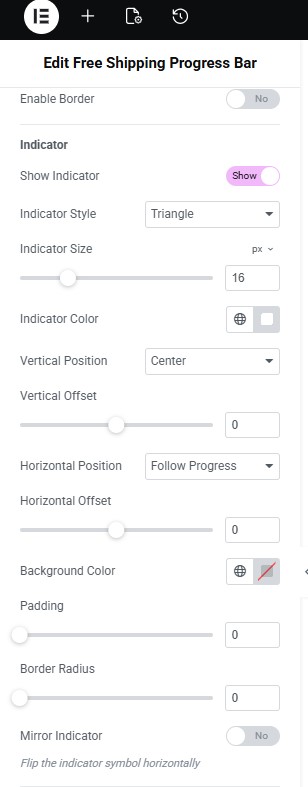 Elegant Free Shipping Progress Bar for WooCommerce Elementor Widget - Progress Bar Settings 2
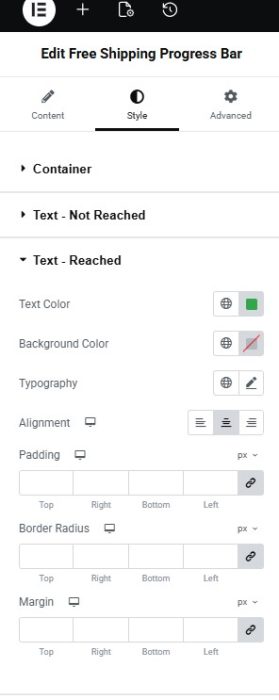
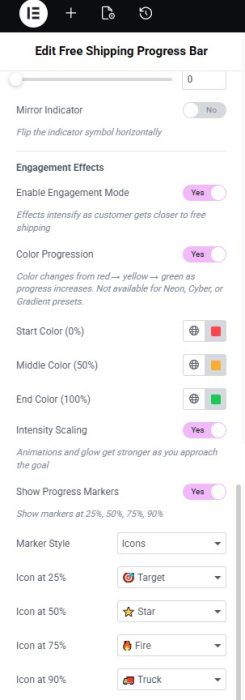
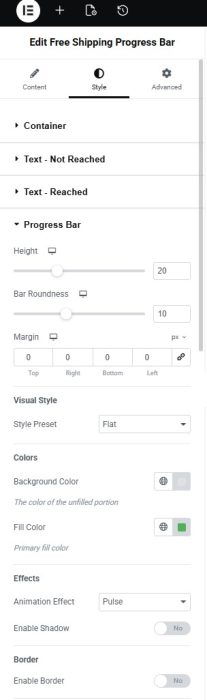
- Elegant Free Shipping Progress Bar for WooCommerce Elementor Widget - You're on your way Shipping Bar
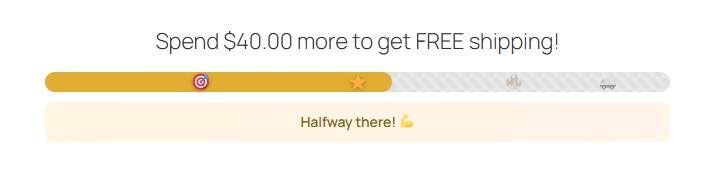 Elegant Free Shipping Progress Bar for WooCommerce Elementor Widget - Halfway There Shipping Bar
- Elegant Free Shipping Progress Bar for WooCommerce Elementor Widget - Almost There Shipping Bar
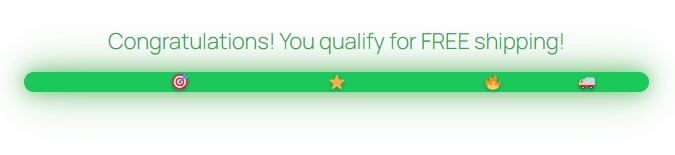 Elegant Free Shipping Progress Bar for WooCommerce Elementor Widget - Reached Free Shipping Bar
 Elegant Free Shipping Progress Bar for WooCommerce Elementor Widget - Reached Free Shipping Bar with Confetti
 Circular Shipping Progress
Videos
The Free Shipping Progress Bar for WooCommerce & Elementor:
The Free Shipping Progress Bar for WooCommerce & Gutenberg:
The Free Shipping Progress Bar for WooCommerce OverView
Requirements
| Requirement | Minimum |
|---|---|
| Requirements | WordPress 6.8.3 and higher, WooCommerce 10.4.3 and higher |
| For Elementor | Version 3.34.1 and higher |
Faqs
Installation
Upload the zip via Plugins → Add New → Upload, then activate.
Go to the plugin settings and paste your license key into the License field.
WordPress 5.8+, PHP 7.4+, and WooCommerce 5.0+.
Yes. WooCommerce must be installed and activated.
No. Elementor is optional — the Gutenberg block works without it.
PHP & WordPress Compatibility
Yes. Requires PHP 7.4 minimum and runs on PHP 8.x.
WordPress 5.8.
WooCommerce Compatibility
Requires WooCommerce 5.0 or higher; tested up to 9.5.
Yes. The plugin declares compatibility with High-Performance Order Storage.
Yes. The bar listens to the WooCommerce Blocks store for real-time updates.
Yes. Uses fsw_calculate_adjusted_subtotal() when available, falling back to the standard cart subtotal.
Elementor Integration
Tested up to Elementor 3.25 and Elementor Pro 3.25.
free_shipping_progress_bar and circular_shipping_progress_bar.
Under the WooCommerce Elements category.
Yes. Group typography controls with separate styling for 'not reached' and 'reached' states.
Gutenberg Integration
fspb/free-shipping-progress-bar and fspb/circular-progress-bar.
Under the WooCommerce category in the block inserter.
Yes.
Yes. A live server-side render preview runs in demo mode at 30% of the threshold.
Linear Progress Bar
A horizontal bar that fills based on cart total versus the free shipping threshold.
Yes. LTR, RTL, or auto-detect from site language.
Yes. Both are fully configurable.
Flat, 3D, Glossy, Neon, Glass, Gradient, Cyber, and Minimal.
Circular Progress Bar
An SVG-based circular indicator showing free shipping progress.
80–300 px circle size with 2–30 px stroke width.
Yes. Round, flat, or square.
Yes. Top, right, bottom, or left.
Percentage, icon, remaining amount, current total, or icon + percentage.
Above or below the circle.
Threshold & Messages
Yes. The minimum cart amount is fully configurable.
Yes, with support for the {remaining_amount} placeholder.
Yes. A dedicated success message can be set.
{remaining_amount}, {current_amount}, and {threshold}.
Yes. A dedicated toggle hides the widget on an empty cart.
Real-Time Updates
Yes. It updates via AJAX on WooCommerce cart events.
added_to_cart, removed_from_cart, updated_cart_totals, wc_fragment_refresh, and WooCommerce Blocks store changes.
Yes. Debug mode logs cart events and AJAX updates to the browser console.
Colors
Background (track), fill, gradient start/end, gradient angle, neon glow color and intensity, cyber pair, shadow, border, and stripes overlay.
Circle background, fill, gradient endpoints, glow color and intensity, center icon, and center text.
Yes. Text color and optional background are separate for 'not reached' and 'reached' states.
Indicator / Cursor
13: Arrow, Triangle, Chevron, Double Chevron, Circle, Circle Outline, Star, Heart, Diamond, Truck, Percentage, Remaining Amount, and Current Total.
Yes. Vertical (above/top/center/bottom/below) and horizontal (follows progress, start/center/end), each with offsets.
Yes. A mirror/flip toggle is available.
Yes. Optional background color, padding, and border radius.
Yes. It auto-hides when progress reaches 100%.
Milestone Markers
Dots, Lines, and Icons.
Fixed at 25%, 50%, 75%, and 90%.
Yes. Defaults are 🎯 ⭐ 🔥 🚚 and each can be replaced.
Yes. Separate colors are configurable.
Yes. A pop animation plays when a milestone is reached.
Tooltips show on hover on desktop and are hidden on screens under 480 px.
Animations
None, Pulse, Shimmer, Wave, and Glow.
Yes. A configurable speed multiplier is available.
Diagonal, Diagonal Reverse, Horizontal, and Vertical — animated or static.
None, Pulse, Rotate, and Glow.
A pulsing brightness/glow effect that activates between 80–99% progress on a 0.8 s cycle.
Celebration Effects
9 styles, triggered when the cart reaches the free shipping threshold.
Confetti, Fireworks, Sparkle, Bounce, Party, Stars, Rainbow, Hearts, and Trophy.
Yes. They remove themselves after 6 seconds.
No. They use pointer-events: none and do not interfere with the page.
Yes.
Engagement Mode
A master toggle that enables color progression, intensity scaling, milestone markers, encouraging messages, celebration effects, and urgency pulse.
Three-color interpolation (start → middle → end) that overrides the base fill color in real time.
A factor that scales 0 → 1 based on progress percentage.
Tiered messages shown at 25/50/75/90%, each customizable, with a slide-up fade-in animation.
Layout & Container
Yes. Both are configurable.
Background color, border radius, padding, and margin — all responsive.
Yes. Toggle, color, and blur (0–100 px).
Yes. Toggle, color, and width.
Typography
Yes. A group typography control covers font family, size, weight, style, line height, and letter spacing.
Yes. 'Not reached' and 'reached' messages have independent styling.
Yes. Left, center, and right alignment per device.
Responsive Design
768 px and 480 px.
Smaller milestone dots and hidden labels.
Yes. All Elementor and Gutenberg controls support desktop, tablet, and mobile values.
Accessibility
Yes. Full ARIA roles, live regions, screen reader text, and WCAG 2.1 AA contrast validation.
role=progressbar with aria-valuenow/min/max, role=region on the container, role=img on milestones, and role=status on celebration announcements.
Yes. All 7 message containers use aria-live=polite with aria-atomic=true.
Yes. Animations and transitions are disabled when prefers-reduced-motion is enabled.
Yes. Gutenberg uses ContrastChecker for fill/track (3:1), indicator (4.5:1), and text (4.5:1). Elementor shows accessibility tips under color controls.
Yes. A .fspb-sr-only element outputs progress such as 'X% complete, $Y remaining' and is synced during AJAX updates.
Direction & RTL
Yes. LTR, RTL, and auto-detect from site language are supported.
Yes. Milestones reposition correctly in RTL layouts.
Currency
Yes. Respects WooCommerce currency symbol, position, and decimal/thousand separators.
Left, right, left with space, and right with space.
Yes. Entities are decoded to support any character set.
Internationalization
Yes. All strings use WordPress translation functions.
elegant-free-shipping-progress-bar.
Yes, via wp_localize_script (i18n_progress_label, i18n_celebration_announce).
Troubleshooting
Ensure WooCommerce is active and enable Debug mode to log cart events to the browser console.
Enable Debug mode in the plugin settings to output console logs for cart events and AJAX updates.
Check that the show/hide toggle is enabled, the cart is not empty (if that option is on), and that the widget/block is placed on the page.
Install and activate WooCommerce. Elementor is only needed if you want to use the Elementor widgets.