
Wishlist Protection Display
Description
Wishlist Protection Display plugin adds a Protection Level column to your posts’ and pages' tables, and gives you an overview of how and if your content is protected without the need to enter each post and page to check if the protection settings are correct.
Though Wishlist Protection Display sounds like a simple plugin, it is a very crucial and powerful plugin that:
1. Prevents crucial protection mistakes
Accidentally forgetting to protect content that is supposed to be protected can have devastating effect on your membership site's services and products.
Plus, you will be notified when the protection settings are not set correctly.
2. Saves you decent amount of time managing the protection settings
It allows you to easily manage your contents' protection settings in one glance, instead of having to open each post individually, just to know the protection level of each post/ page.
3. Becomes more valuable as your site grows
Especially as your membership site develops and more content is be added to it.
4. Gives you important statistic data
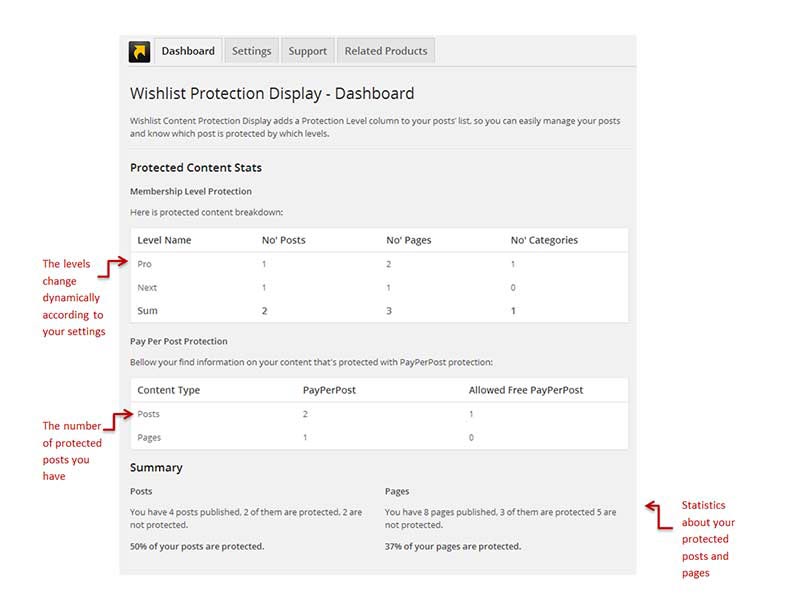
You get statistic information (see screenshots below) to help you see the "big picture" regarding the protected information vs. the unprotected information and use it to your own needs.

Features
The Statistic Information
Get statistic information about your protection settings including pay-per-post feature to see the "big picture" regarding the ratio of the protected content vs. non-protected content of your membership site:
The Protection Status Icons
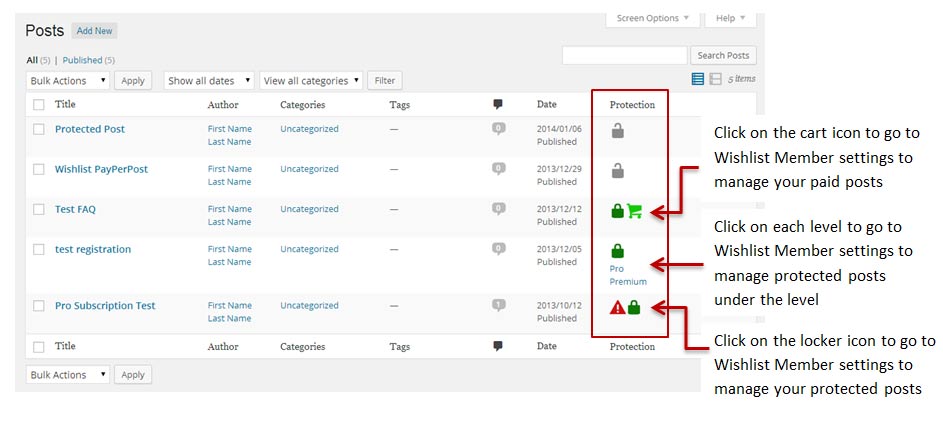
Get a clear and fast overview of all your posts and pages protection settings in one look with these simple icons. When hovering over each icon with the mouse a tool tip pops with more information about the protection setting:
The Protection Icons Glossary
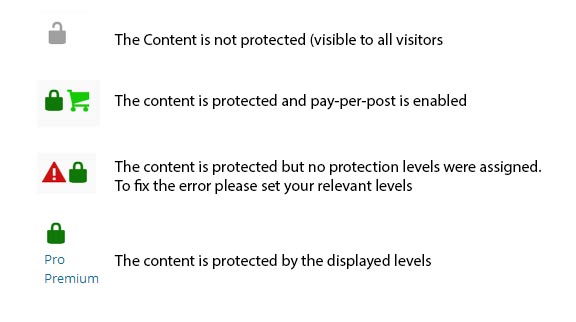
There are only few icons so you won't get confused with so many. This is the exact icons' glossary:
Protection Icons for Categories
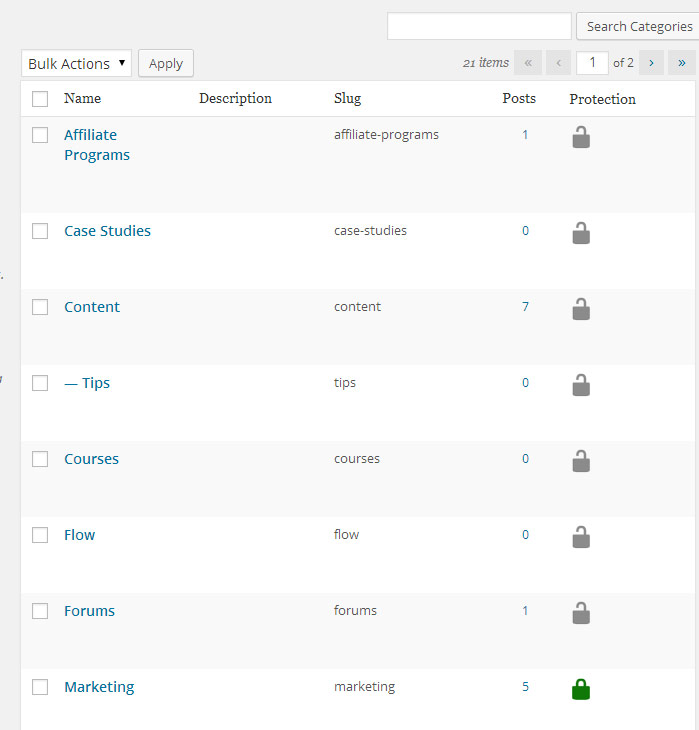
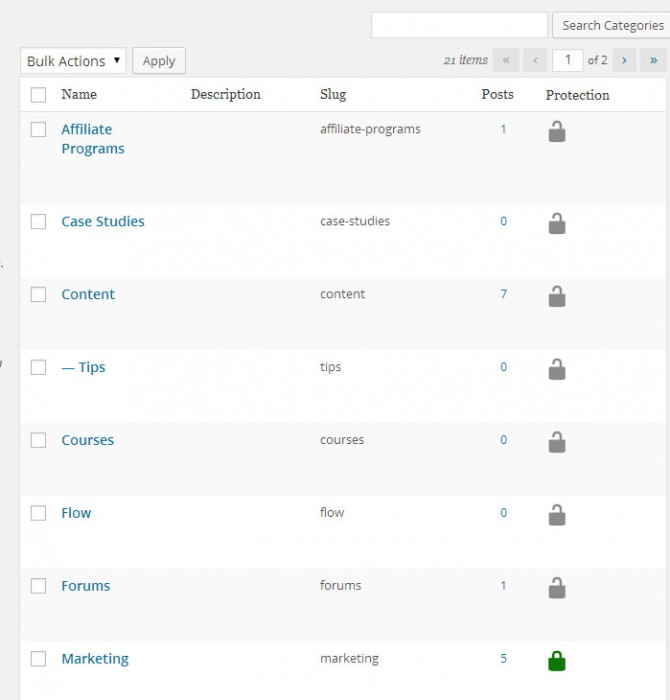
You can also protect categories within you membership site so we added the protection icons in the Categories table:
Files
When finishing the purchasing process you get:
1. Wishlist Protection Display plugin (zip file)
2. Complete manual guide for Wishlist Protection Display (PDF file)
Screenshots
- Wishlist Protection Display Dashboard
- Wishlist Protection Display Icons
- Wishlist Protection Display Glossary
- Wishlist Protection Display Categories
Faqs
General
The plugin is very easy to use: After you install and activate it, you go to: WL Extensions menu >> WL Protection Display >> Settings tab, set the proper setting for your website and save the changes. Then go to Posts >> All Post or Pages >> All Pages inside WordPress menu and the Protection Level column will appear in the tables. By moving the mouse on each icon you will see an explanation of what the icons mean. Plus, you can access Wishlist Member protection settings by clicking on each icon (more details in the screenshots).
As far as we know, the plugin does not conflict with any other plugin. Wishlist Quick Access keeps a very strict code method so the chances that it's causing any problem are very low. If you have any problems or conflicts, please try to disable the plugin and see if the problem still exists. If it does, please contact our support helpdesk.
Yes, of course. The main purpose of the plugin is to give you an overview of how and if your content is protected and save you unfortunate mistakes. Entering each post/ page just to check if they are protected can take a lot of valuable time. Plus, the more content you add, the more valuable this plugin will be to you.