In order to add the shortcodes to the any post or page all you need to do is copy the relevant shortcodes and paste them inside the relevant posts and pages.
You can find the shortcodes by going to Wishlist Pay Per Post Shortcodes menu > Dashboard tab or copy-paste them using the below table.
The Dashboard Tab
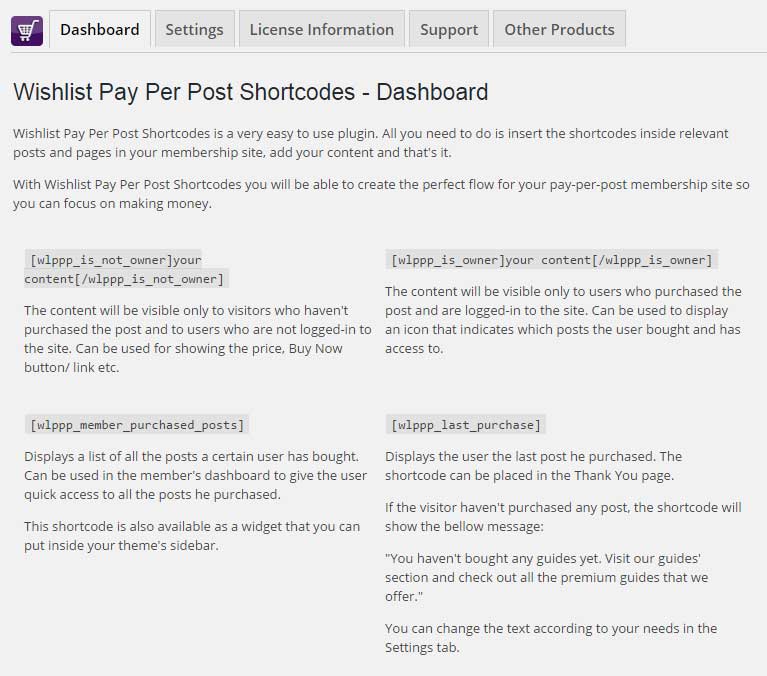
The Shortcodes
[table id=5 /]The Settings Tab
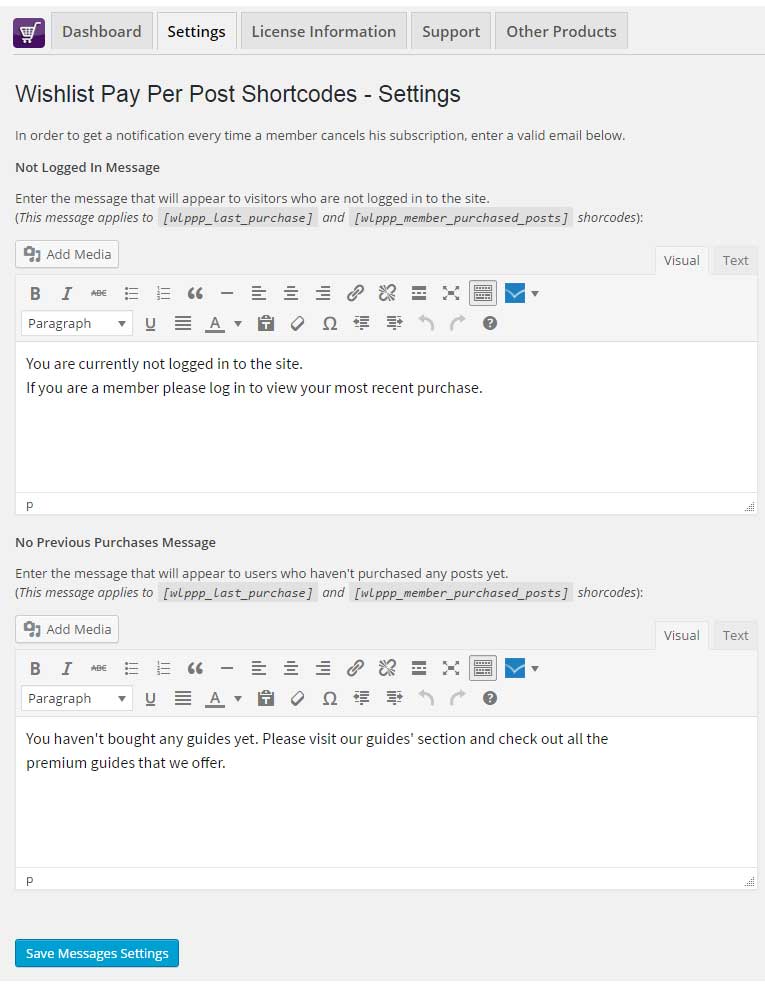
Using the plugin you can also display different messages according to the user’s status:
- Users who are not logged-in to the website
- Users who are logged-in, but haven’t purchased any pay-per-post yet
The correct message will be automatically displayed by the shortcodes.
In the Settings tab you can easily customize the messages to your needs as you can see in the below screenshot: