
The custom redirection page in MemberPress allows you to redirect members to any page of your choice after they purchase one or more membership products via WooCommerce.
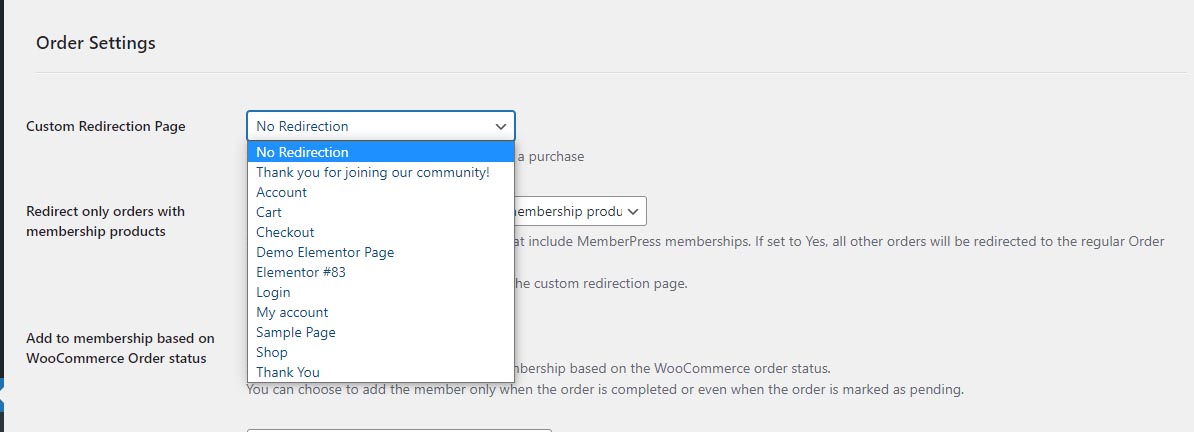
To set a redirection page go to the Settings tab and scroll down to the “Custom Redirection Page” section.
If you choose the default “No Redirection” option, customers will be redirected to the regular WooCommerce order receipt page.
Alternatively, you can decide to redirect customers who purchase a membership product to a different thank you page.
It's important to note that the redirection feature will only redirect customers who purchase one or more membership products.
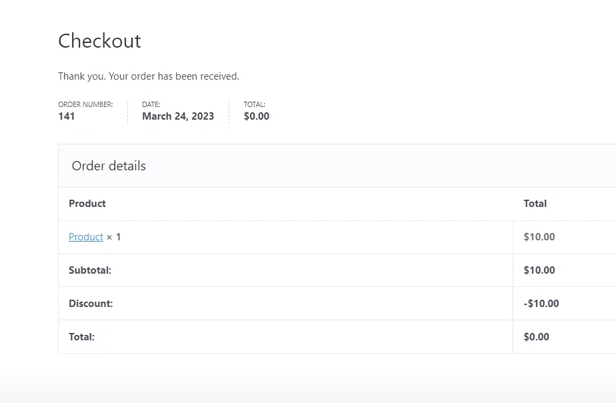
Customers who purchase other products from your WooCommerce shop will still be redirected to the Order Receipt page.
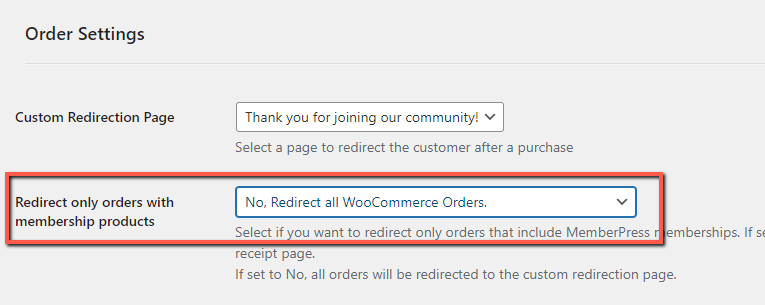
If you want to redirect all customers to the custom thank you page simply go to the setting below "Redirect only orders with membership products" and choose "No, redirect all WooCommerce Orders":
This feature can be useful if you want to display unique content to your members after they complete the purchase.
You can also utilize standard MemberPress shortcodes for presenting dynamic content within the thank you page.